Read this guide in
| 中文 | ภาษาไทย | 한국어 | tiếng Việt | 繁體中文 | Bahasa Indonesia | 日本語 | Español | Portuguese |
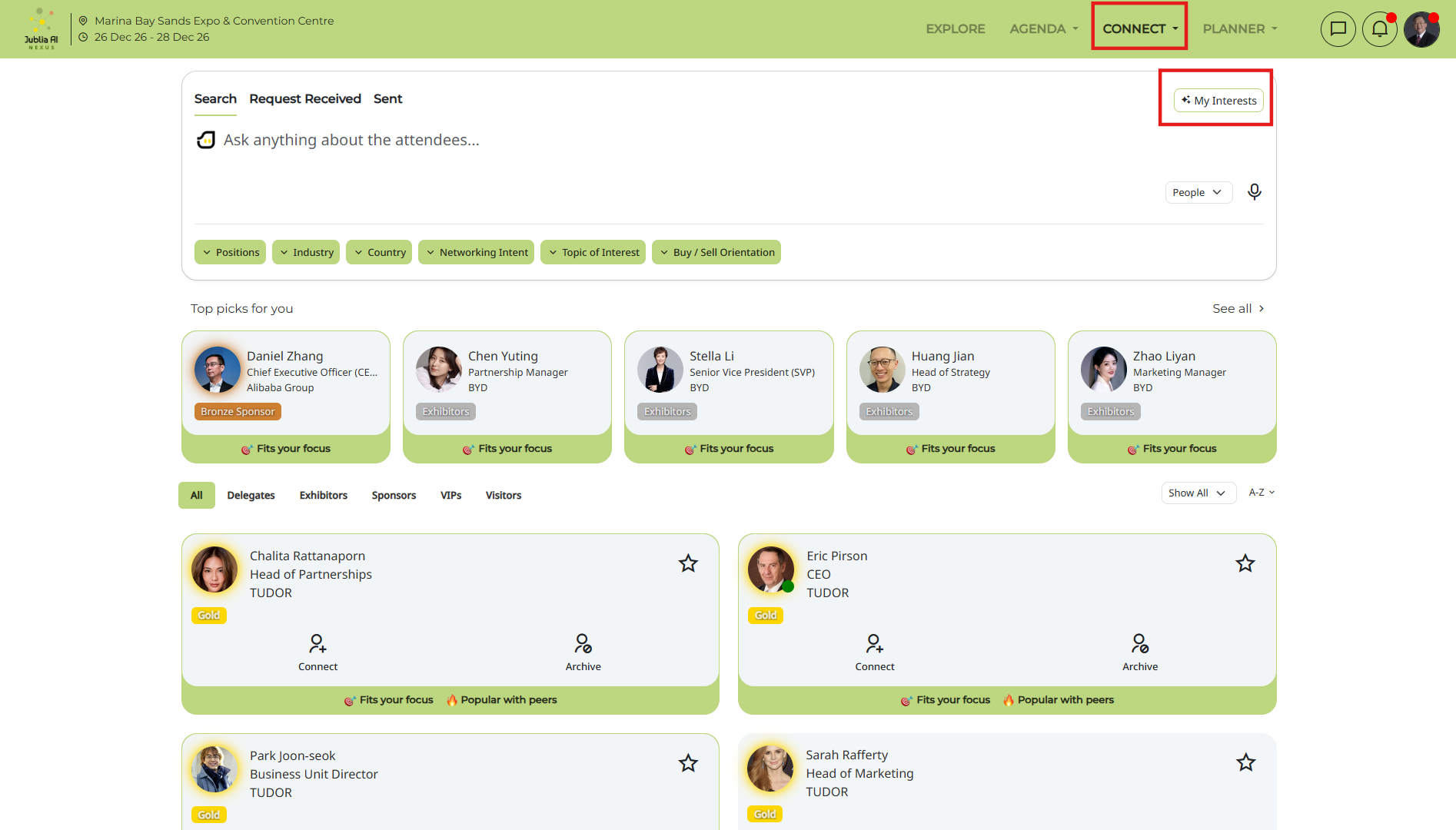
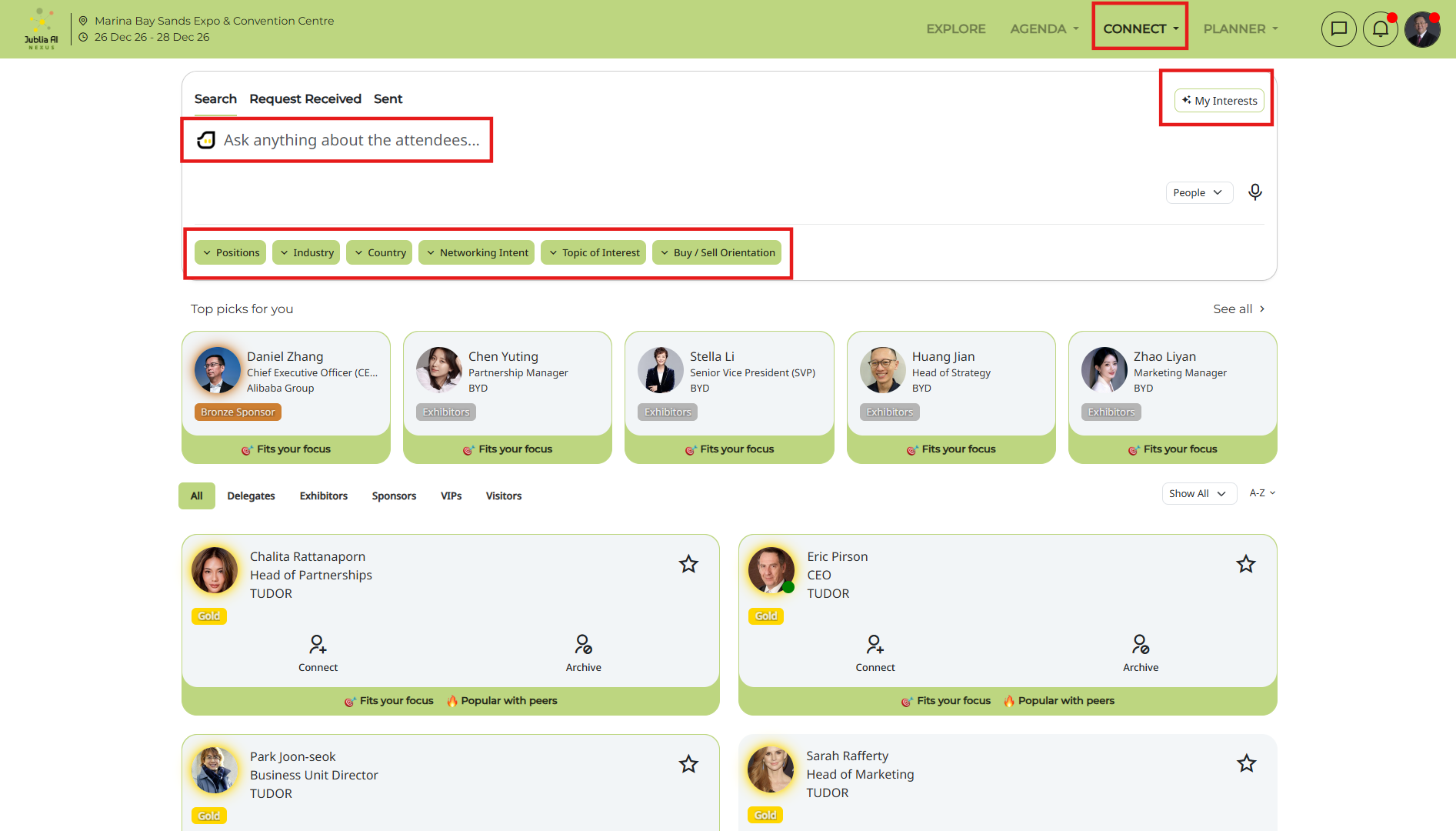
Click on Connect on the navigation bar
Select the My Interests button
Select from General Interest or Product Interest (if any)
Click on Save/Update
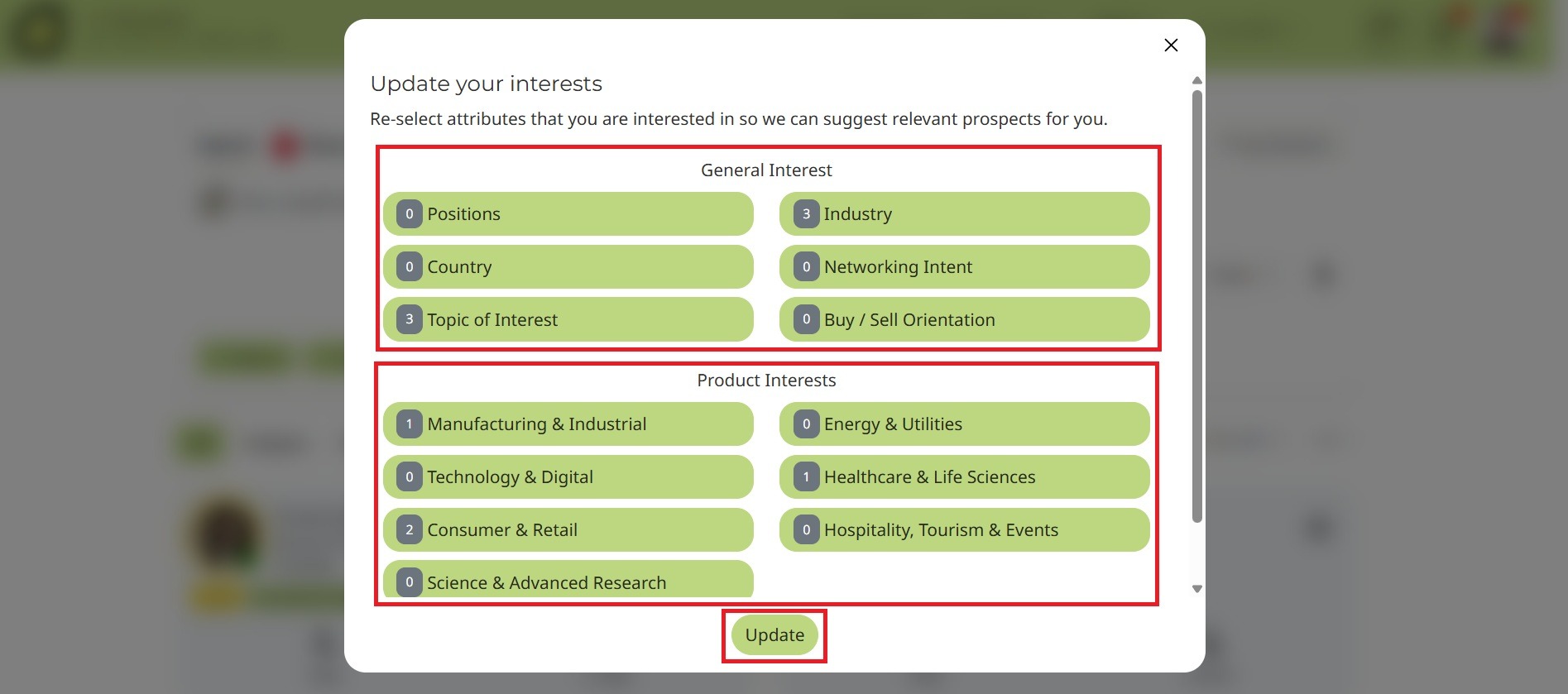
The platform will recommend profiles based on your interests and activity.
You may go back to the My Interests page to update your interests at any time.
To begin finding categories that match your interests:
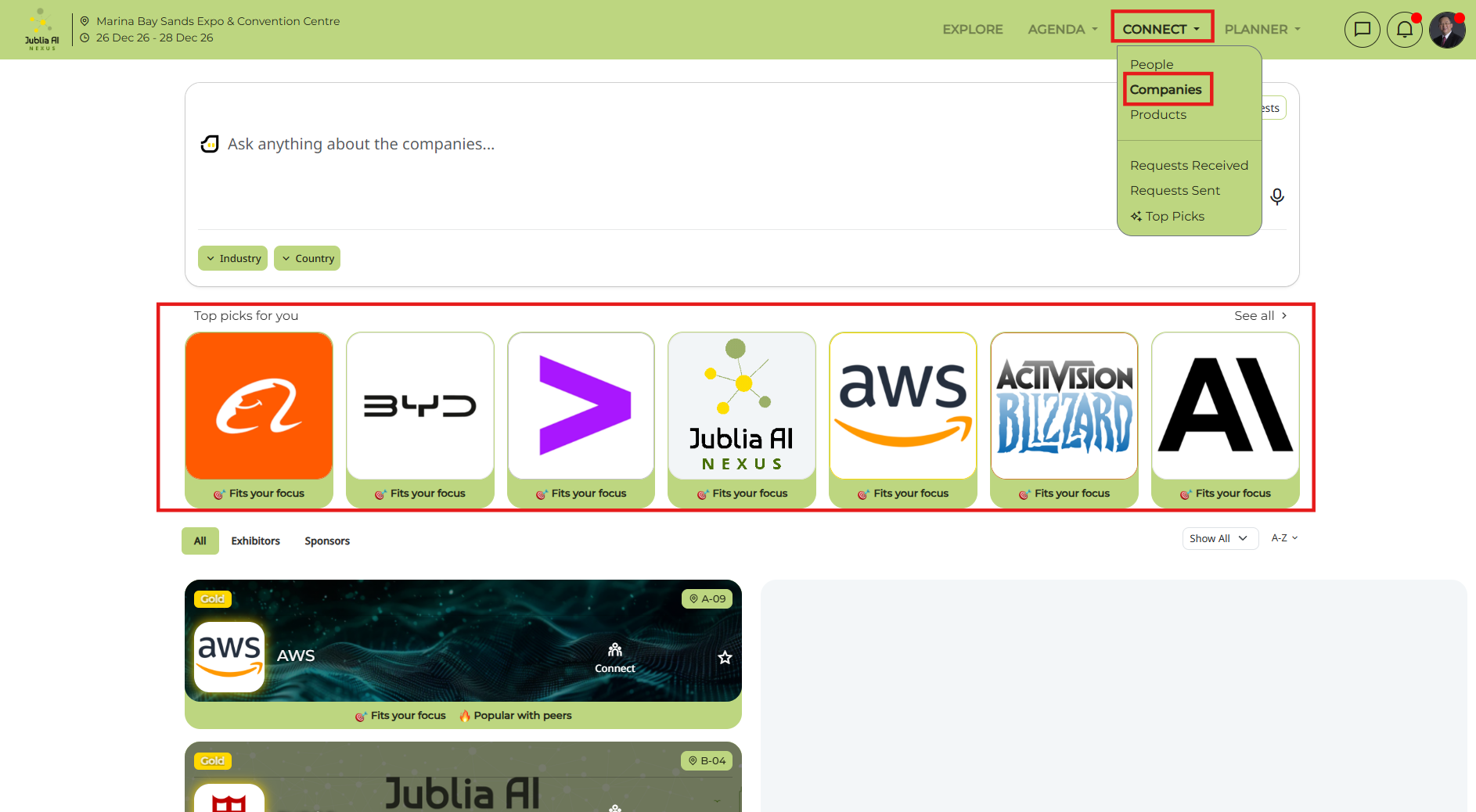
Click on the Explore or Connect page on the navigation bar
Start searching from the Ask anything prompt bar.
Once you’ve accessed the Ask anything function:
Locate the dropdown options from Connect Page:
You can narrow down your search list by typing in the Ask anything prompt bar. You can also find several dropdown options under the search bar that allow you to refine your search based on various criteria (eg. Country, Position, Industry, etc). Note: Each event might have different filter/dropdown options
Filter by interest:
Choose the option to filter people based on your specific interests. This narrows down the search results to categories that are most relevant to you.
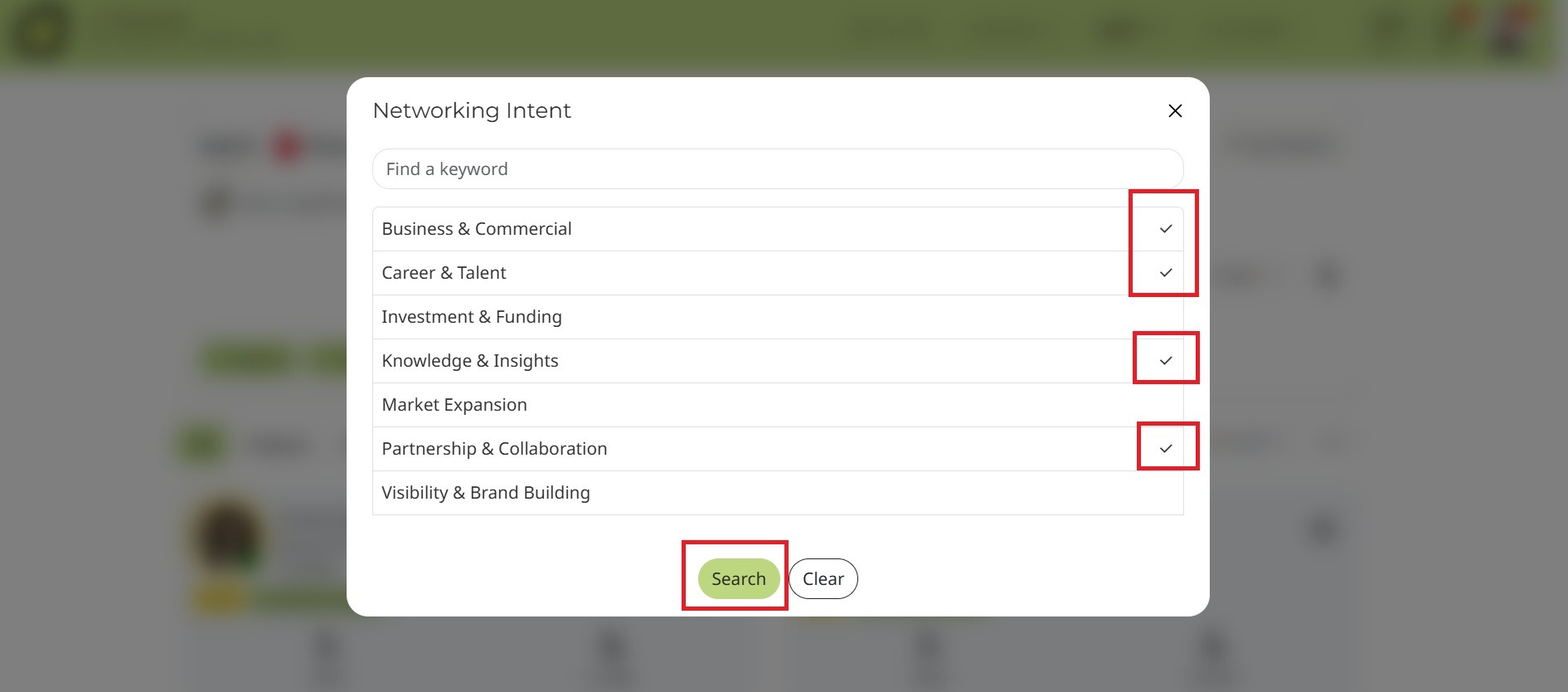
After filtering by interest:
Tick the relevant categories
Review the list of categories provided and tick the boxes next to those that align with your interests.
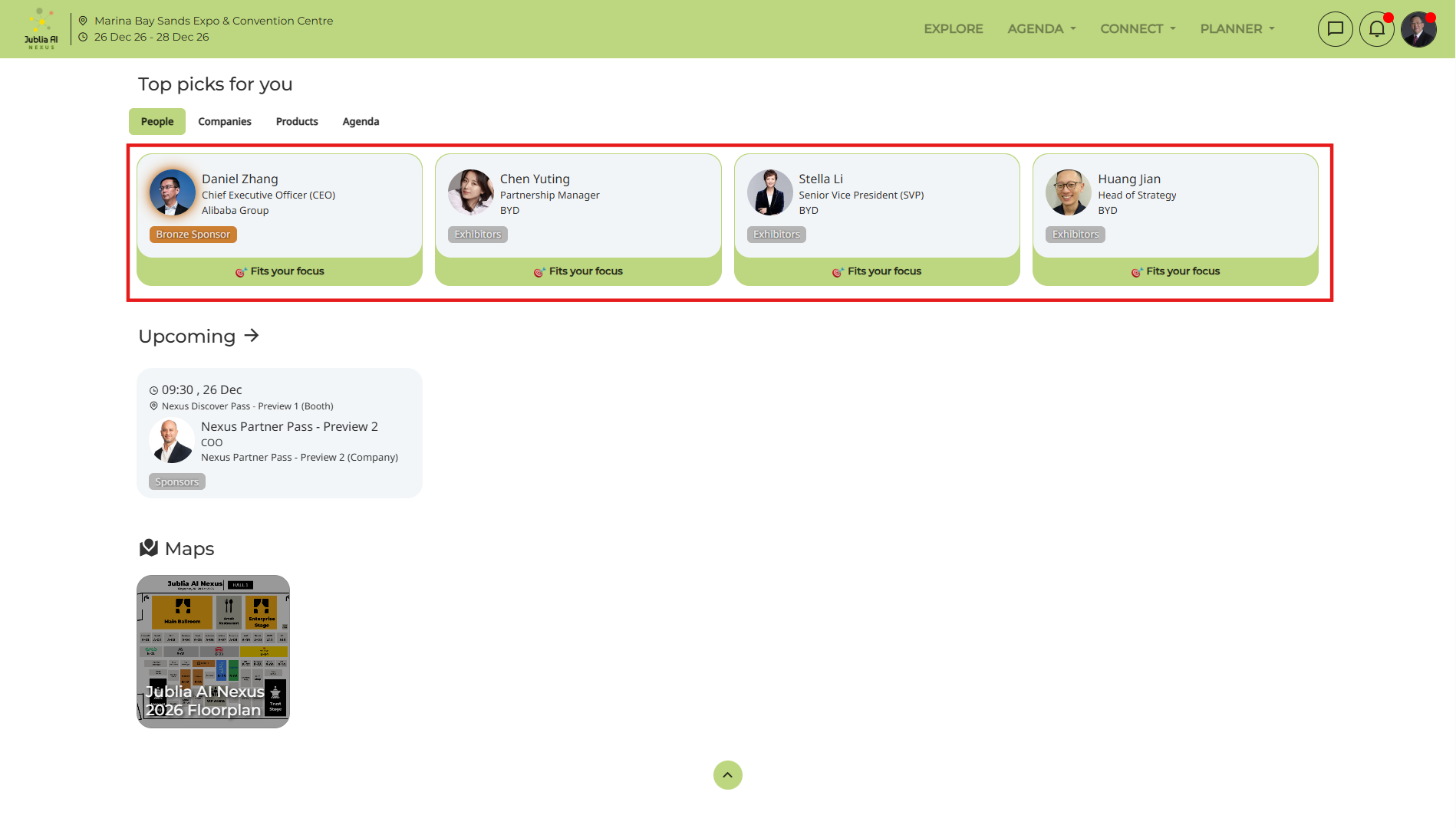
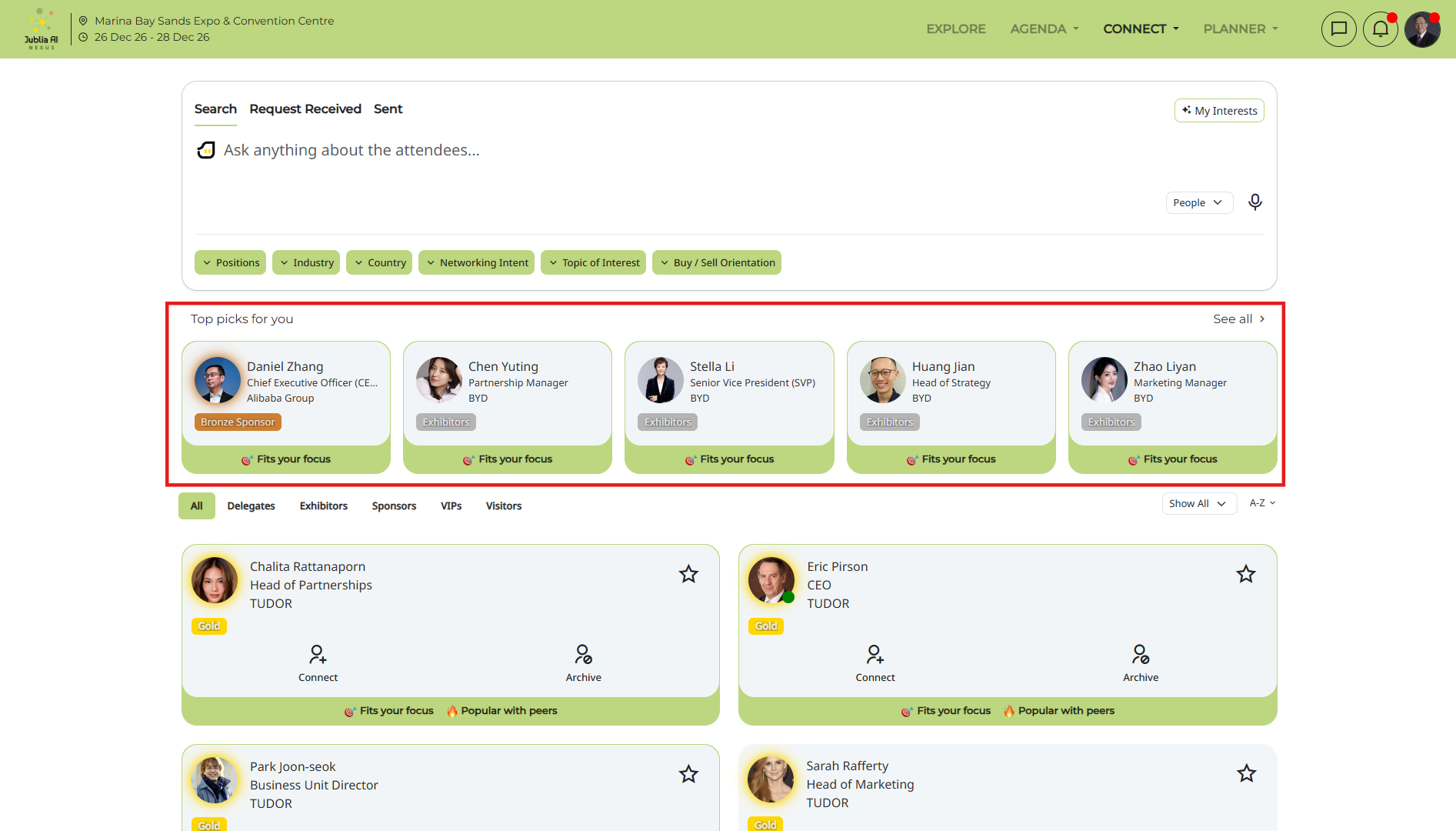
To see the results:
Access the Explore page or specific sections under the Connect page (People, Companies, or Products). Once you have selected your filters, the platform will generate a list of Top Picks recommendations matching your chosen interests, making it easier for you to connect with like-minded individuals. To help you understand exactly why an entity is suggested, each recommendation includes a specific rationale label:
Fits your focus: Your interests or searches match the entity's attributes.
Seeking your profile: The entity's interests or searches match your attributes.
Mutual match: Both you and the entity perfectly match each other's criteria.
Popular/Trending with peers: The entity is highly engaged and popular among other attendees with similar profiles to yours. As a result, you can easily review these rationales to quickly identify and connect with the most relevant, like-minded individuals.
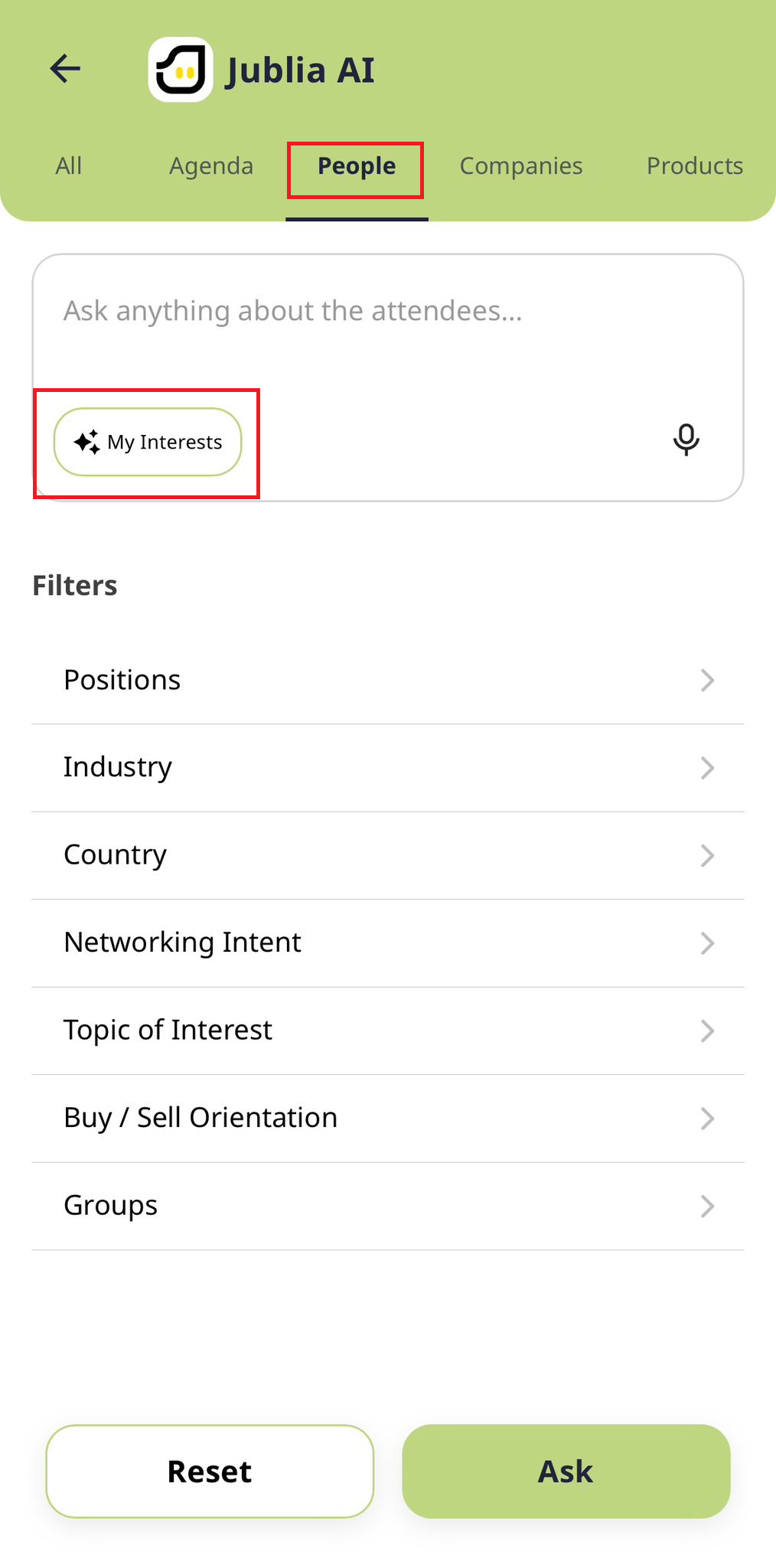
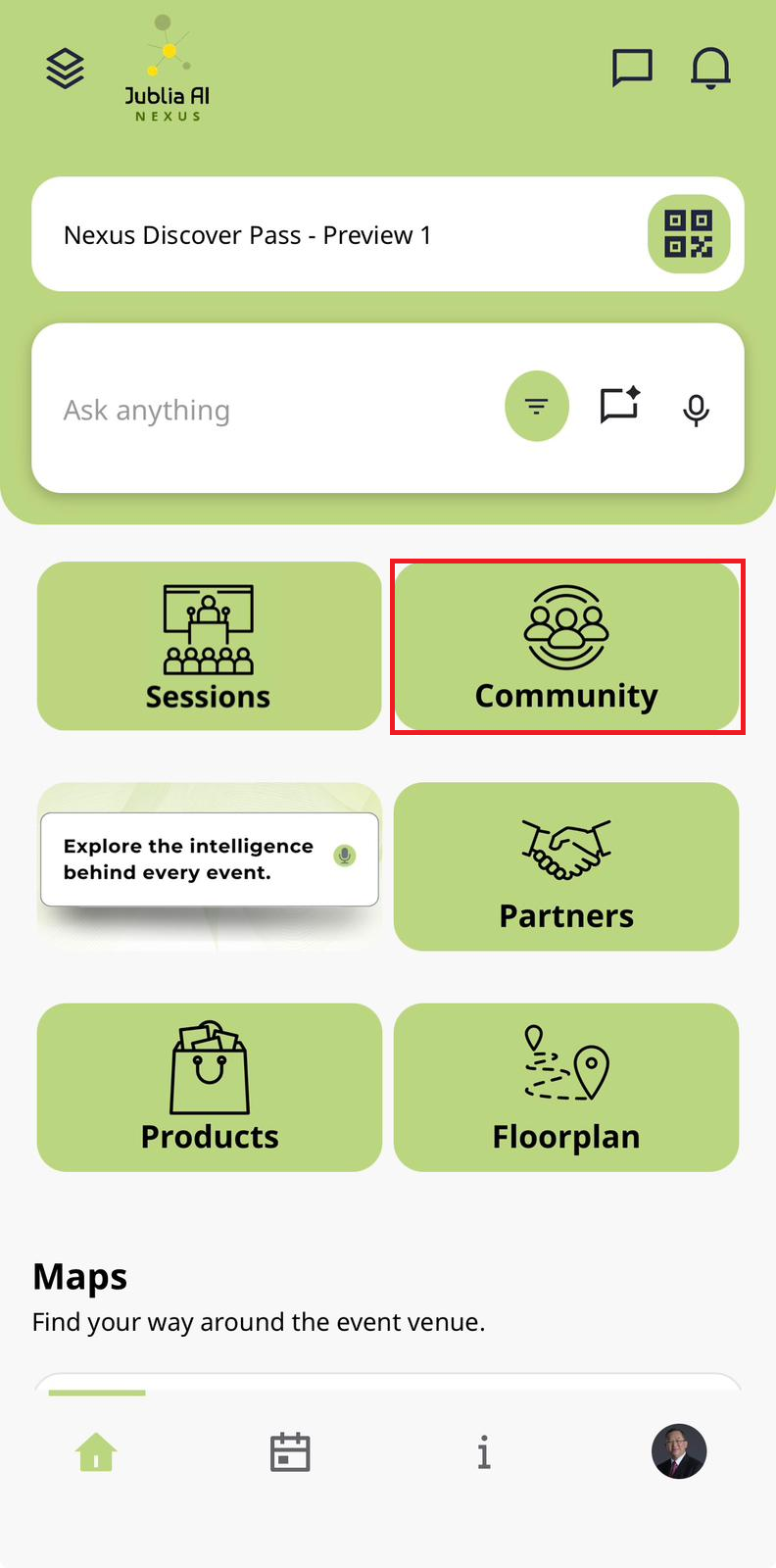
Go to Business matching menu (every app might have different Menu Name)
Click the filter icon on the Ask anything bar
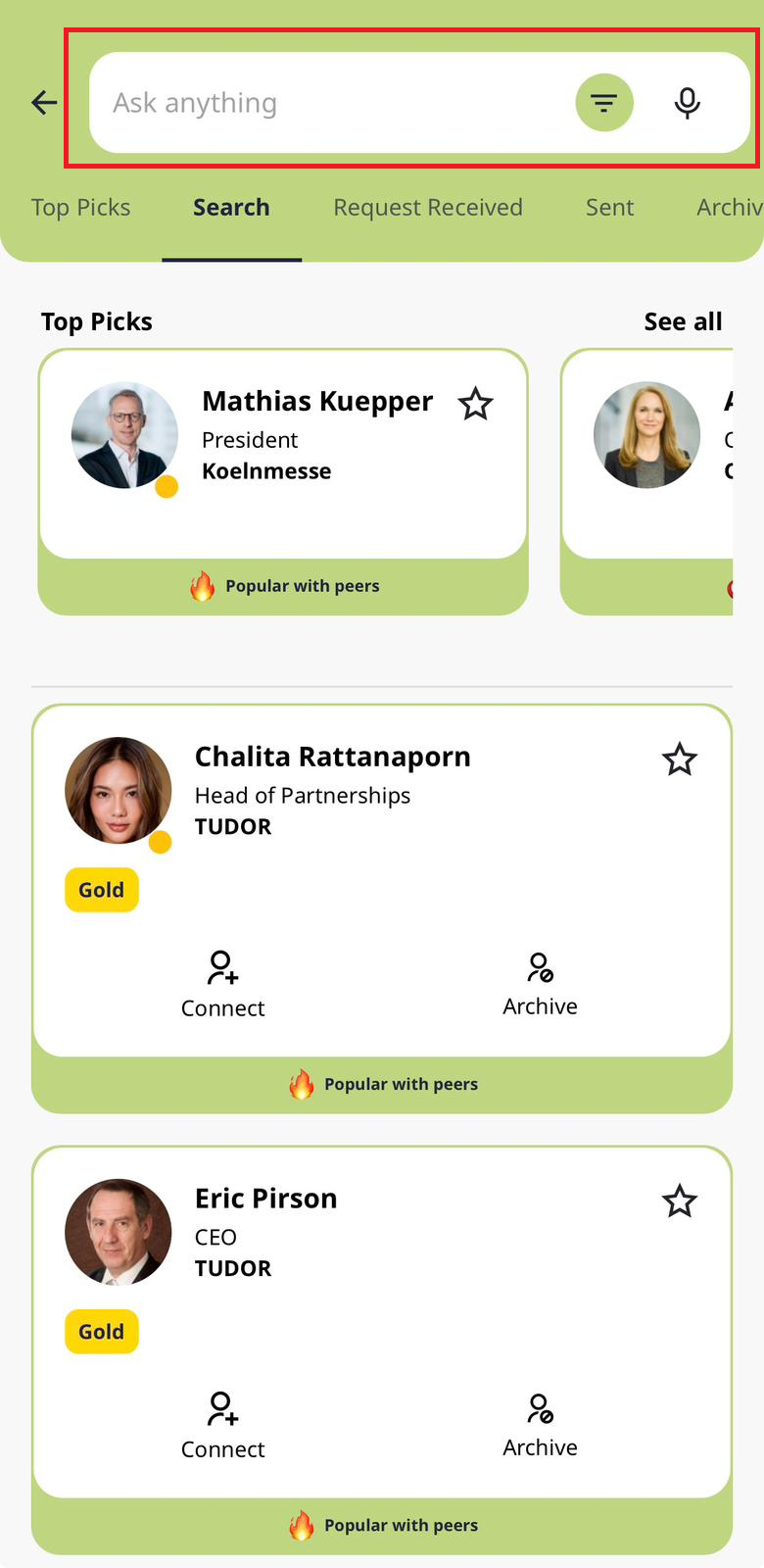
Click on the filters list according to your specified categories you want to find
Click “Ask” once you have choose the filter you want to find
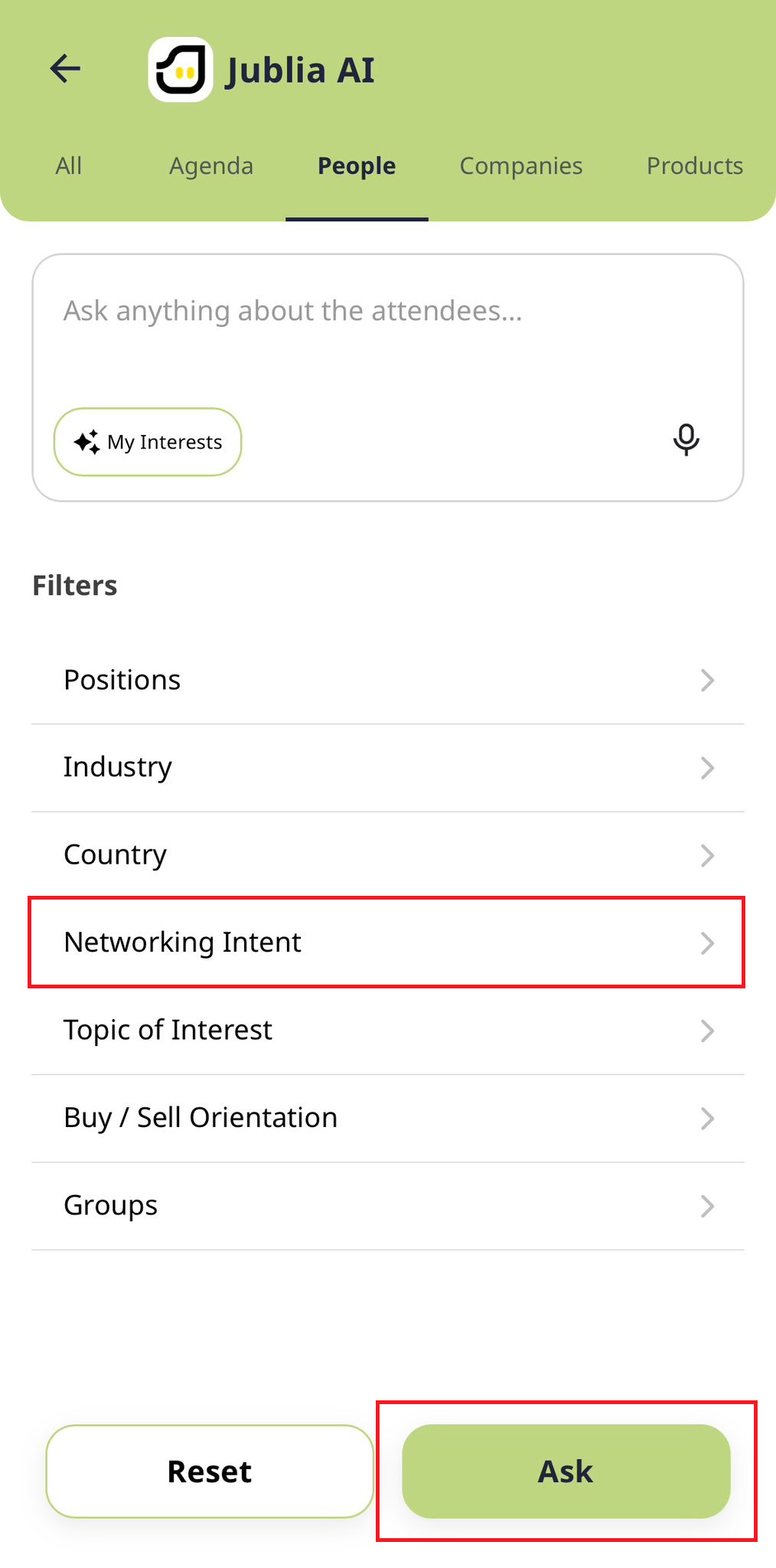
Click People tab
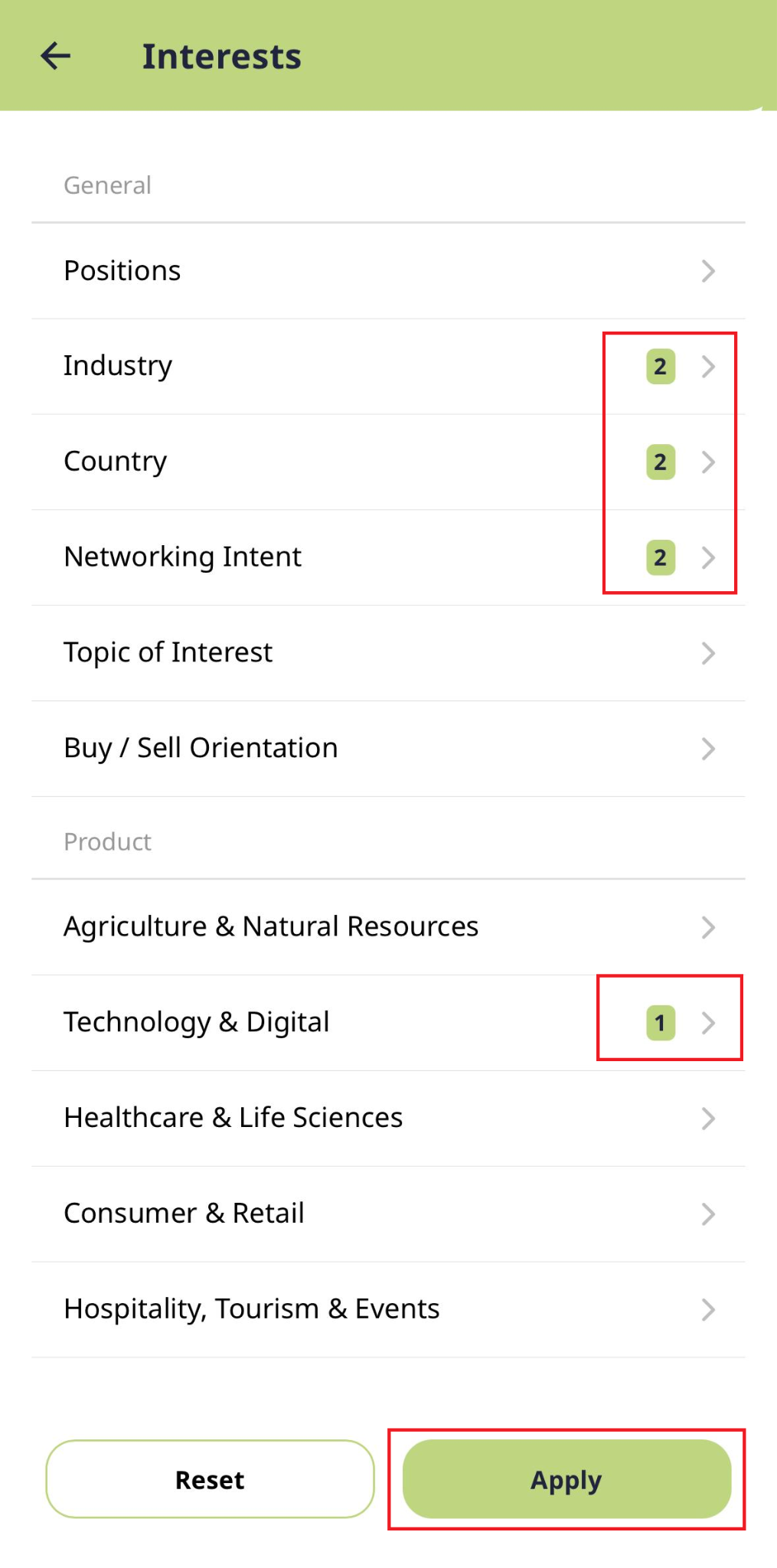
Click “My Interests” button to add or update your interests
Click “Apply” after you have finished add or update your interests
Your interests will be updated to the latest