Stream your Webinar Session
Our webinar streaming feature allows you to easily access informative and engaging content from industry experts, and participate in real-time discussions with like-minded professionals worldwide.
Read this guide in
| 中文 | ภาษาไทย | 한국어 | tiếng Việt | 繁體中文 | Bahasa Indonesia | 日本語 | Español | Portuguese |
Web App
Session Streaming
Step 1: How to stream the sessions on our engagement hub platform?
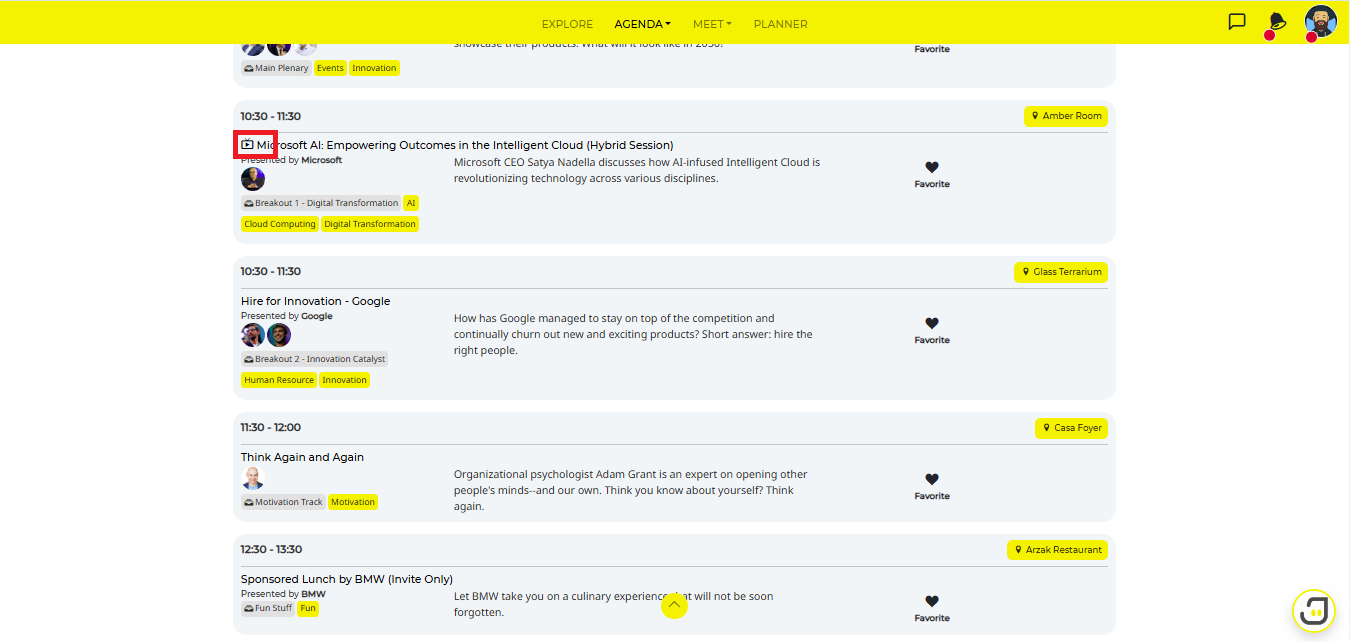
Go to the Agenda menu at the top of the navigation bar.
You may find your session by entering the keywords and date, filtering the sessions using the drop-down options, or viewing all sessions to find them manually.
You can also click the Session tab.
Click on the Video button to access the media content
*note that it might not apply to all events
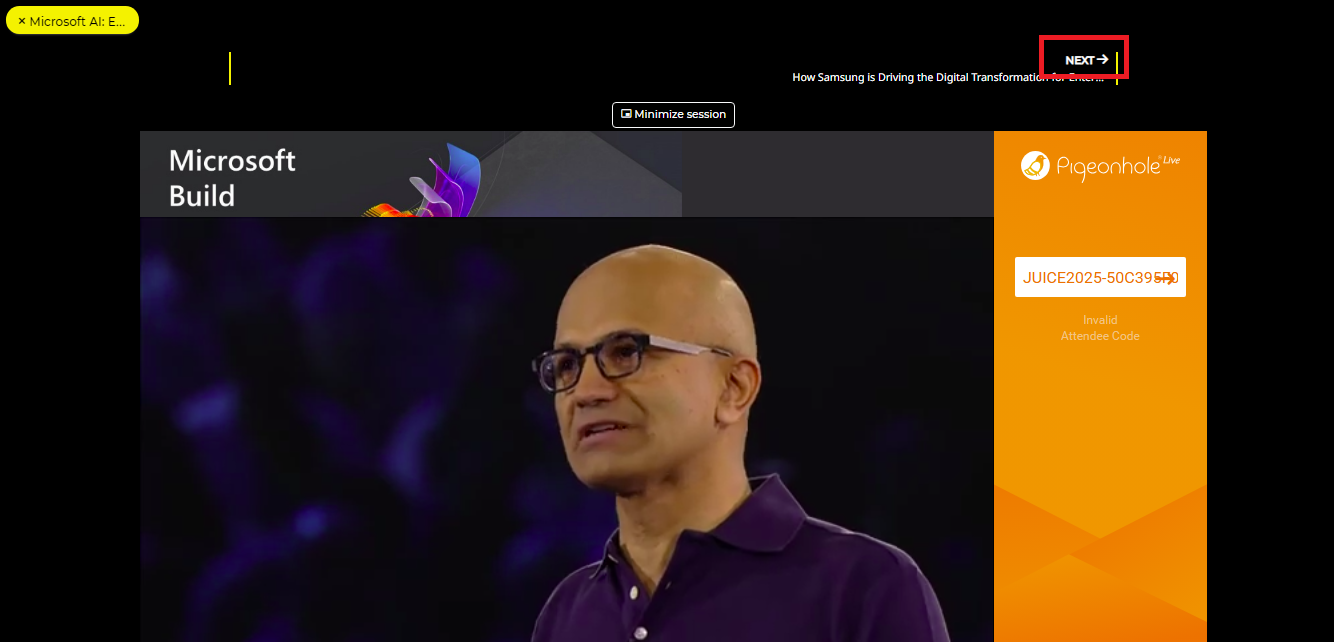
Step 2: Next Session/Session Recommendations:
You can go to the next session within the same track by clicking on NEXT at the top.
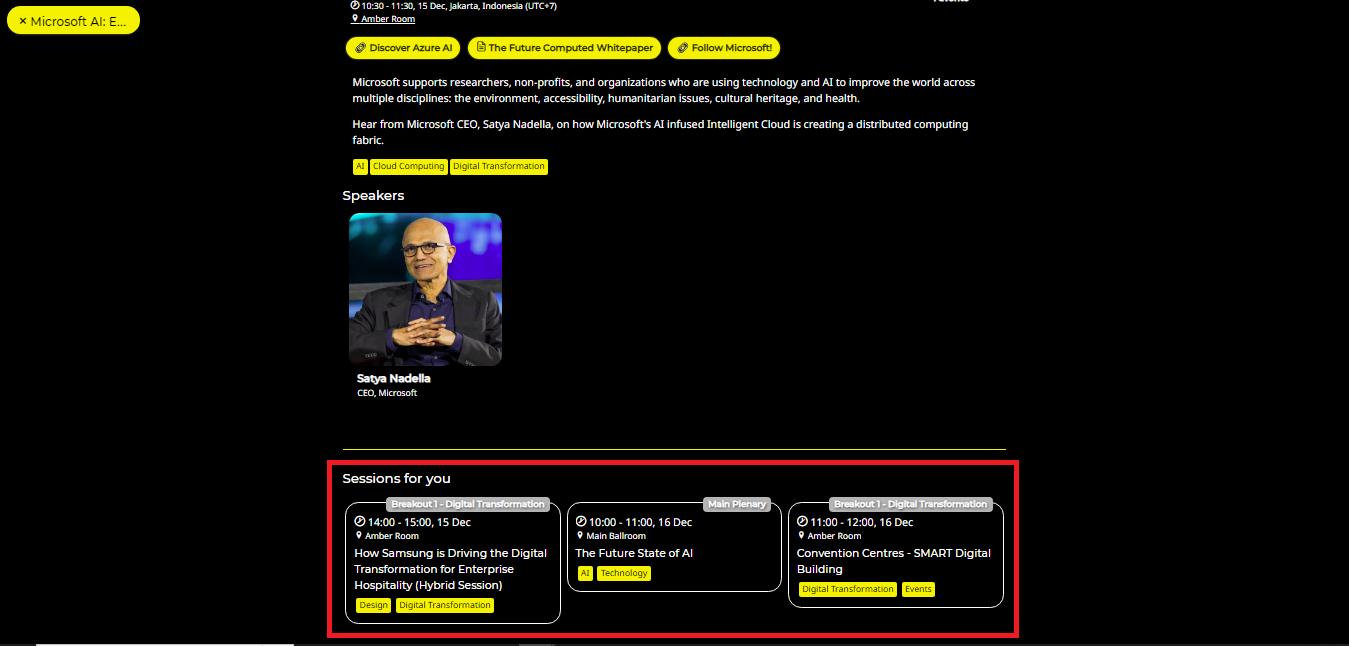
You will also be given an agenda session recommendation
When accessing the agenda session, scroll down to the Sessions for you section.
Step 3: Engage during the session
Our platform is built to create the most interactive virtual experience so you can also engage with the speakers live via:
Link to the Presentation Slides
QnA
Rate Session/Speakerakers live via:
How to access this?
Click on the session.
Click the link button provided in the session.
Step 4: Picture-in-Picture
When you are watching or streaming a session, you can make it a picture-in-picture that will allow you to go to another menu
Click Minimize Session above the streaming player
The session will be minimized on the bottom right side.
Please note that you can only watch one (1) session at a time.
Native App
Session Streaming
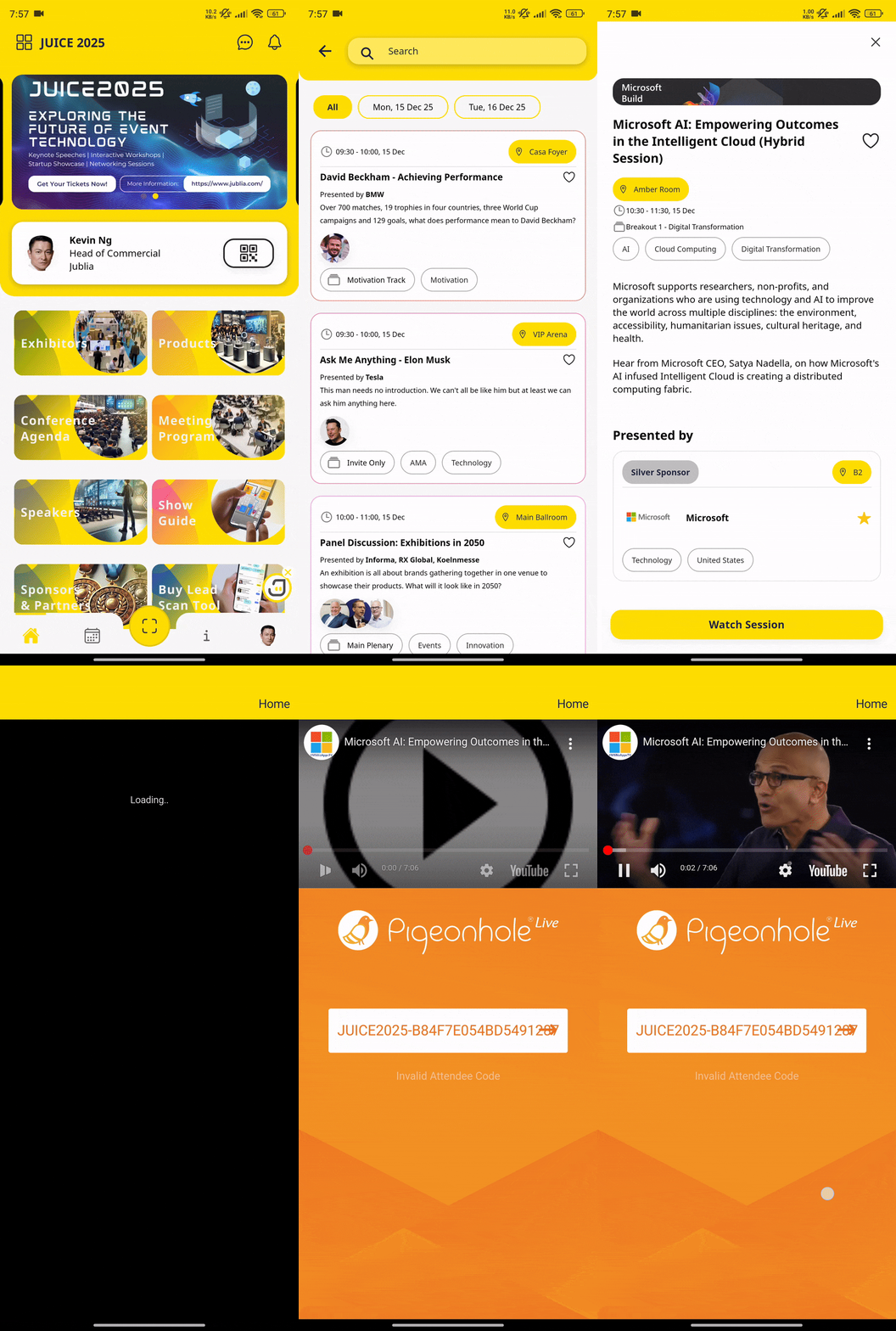
Step 1: Access the Agenda on Menu
In the Home Menu, access the Agenda menu to view the list of sessions.
Step 2: Watch Session on the Specific Agenda
*Note: Not every session might have Session Streaming
Tap the Watch Session button to start stream the Session.