Read this guide in
| 中文 | ภาษาไทย | 한국어 | tiếng Việt | 繁體中文 | Bahasa Indonesia | 日本語 | Español | Portuguese |
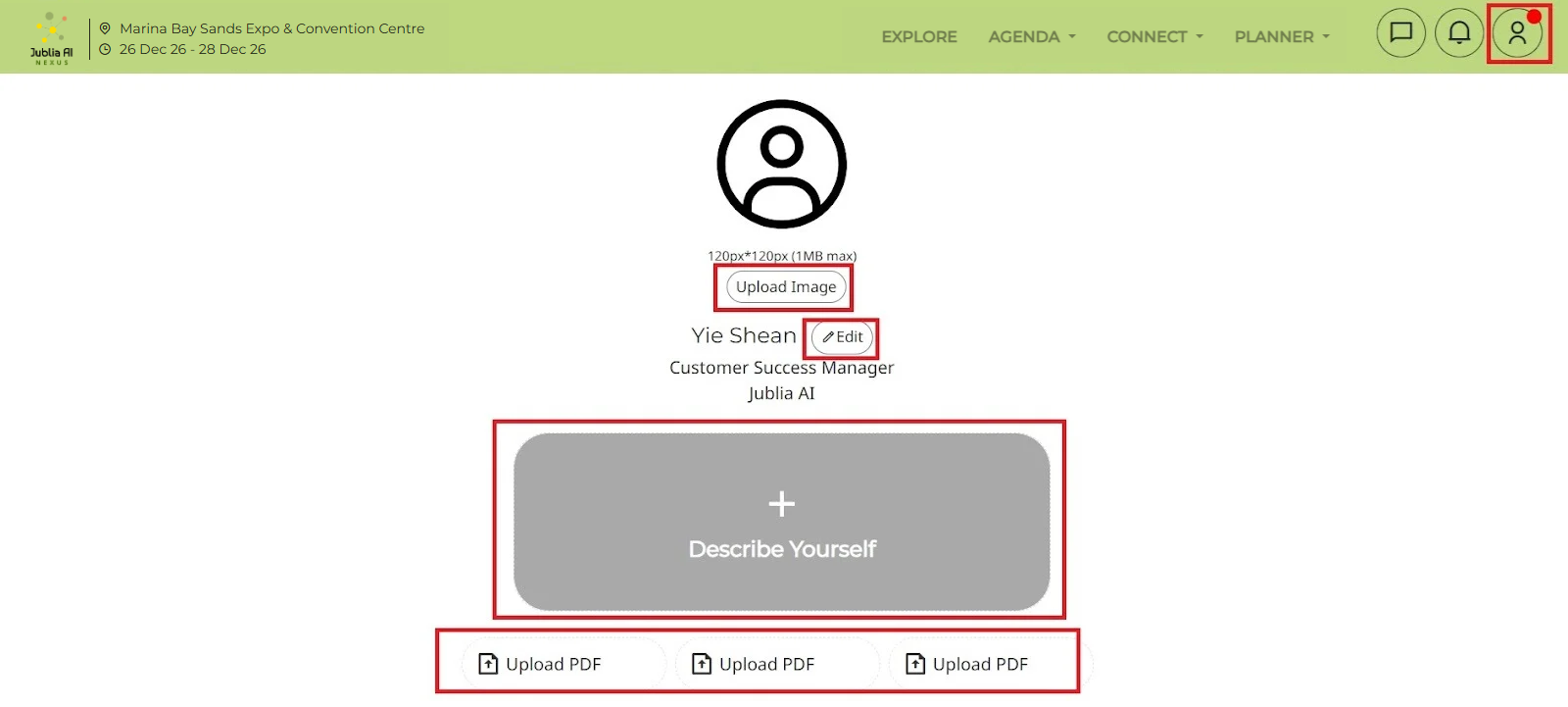
To change your profile details, click on the icon at top right corner of the engagement hub and select My Profile from the menu.
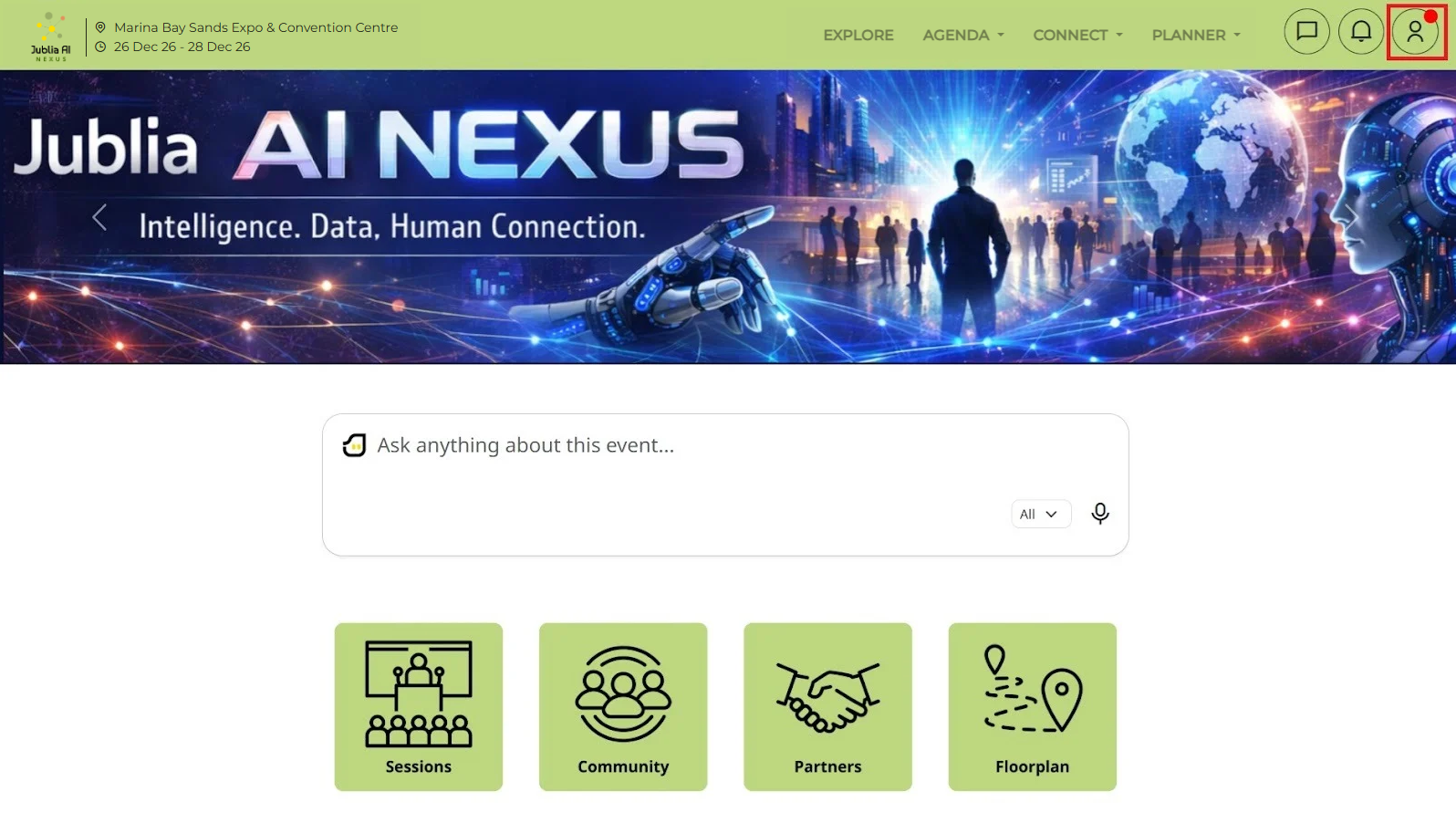
If you notice a red dot beside the menu or your profile, it indicates that your profile is incomplete. Ensure all necessary information is provided. Once complete, the red dot will disappear.
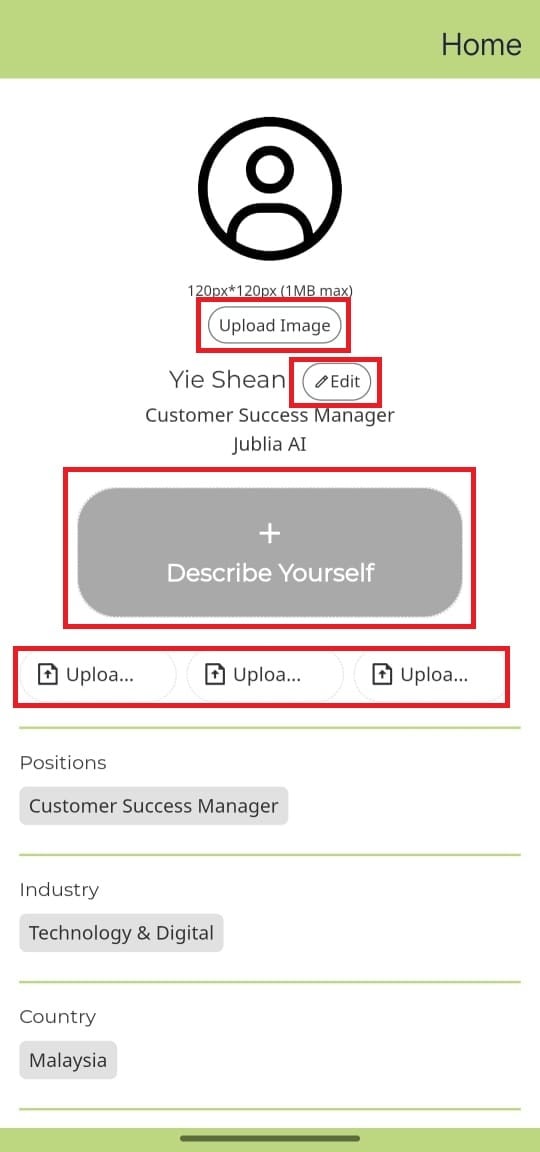
Update your profile with an image, name, job title, Company/Organisation.
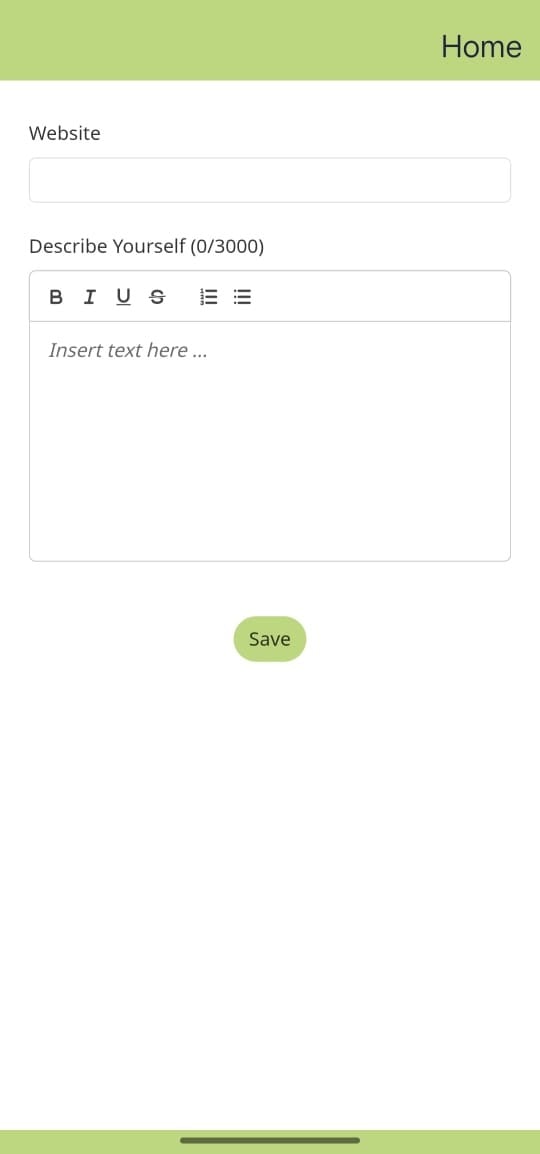
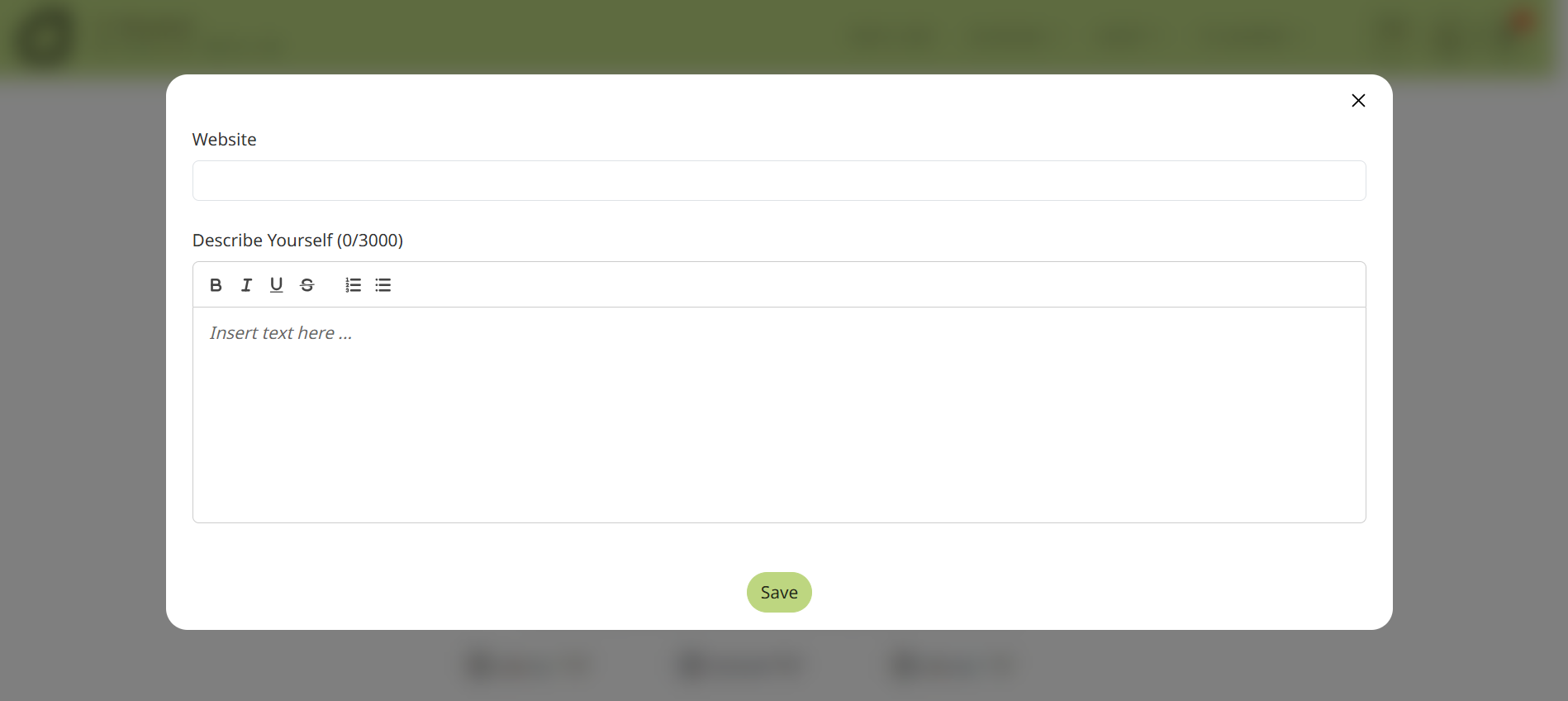
Write a Description. This field is limited to 3000 characters. Use clear and concise language to describe yourself, your company, and the services or products you offer.
Click “Save” after finishing filling up the details and your profile information will be updated.
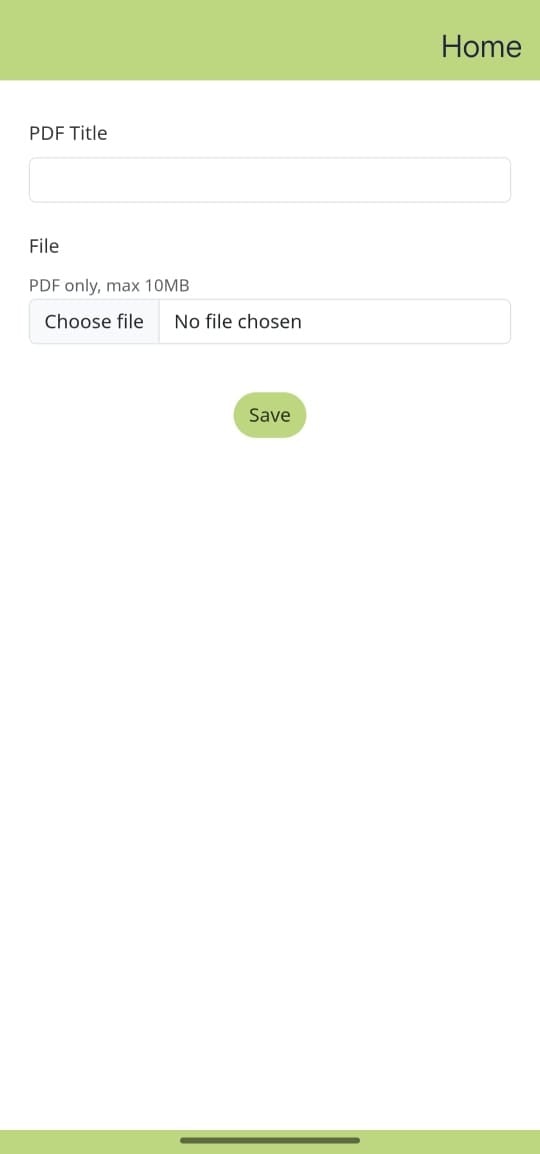
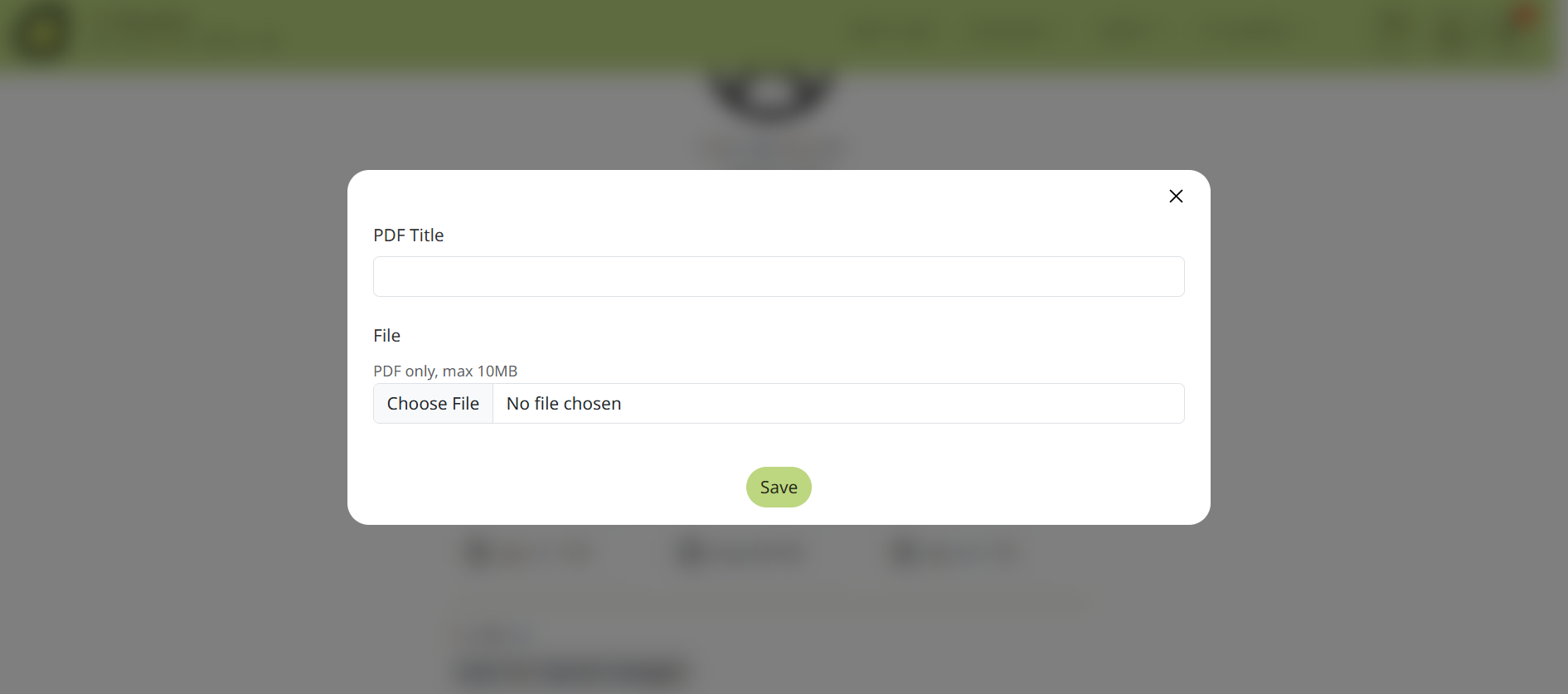
If the option is available, upload a PDF to share more information about your business or services.
Tap on your profile icon, either from the menu wall or at the bottom of the screen, and then select My Profile from the settings menu.
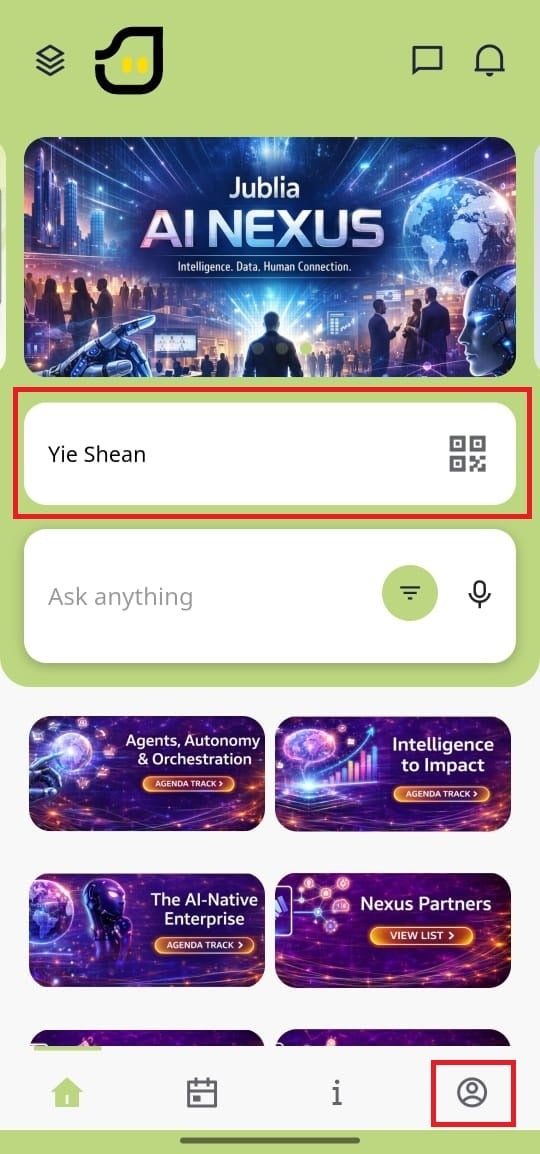
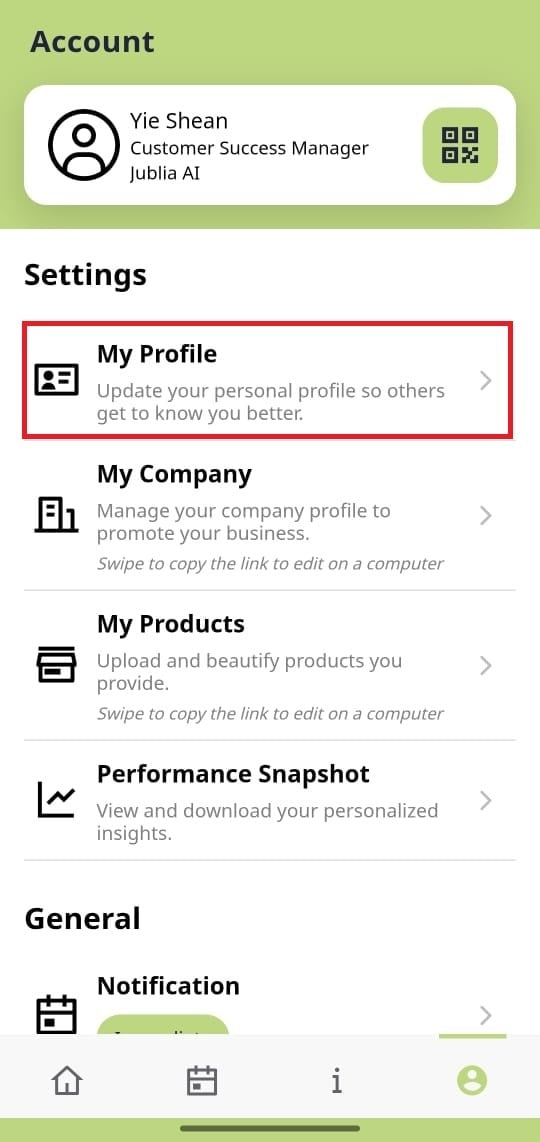
Update your profile with an image, name, job title, Company/Organisation.
Write a Description. This field is limited to 3000 characters. Use clear and concise language to describe yourself, your company, and the services or products you offer.
Click “Save” after finishing filling up the details and your profile information will be updated.
If the option is available, upload a PDF to share more information about your business or services.