Updating Your Profile
Keeping your profile up-to-date in our engagement hub is essential for ensuring that potential event participants have accurate information about you and your business. Maintaining a complete and informative profile can lead to more successful networking opportunities. Here are some tips on how to update your profile information based on the platform used.
Read this guide in
| 中文 | ภาษาไทย | 한국어 | tiếng Việt | 繁體中文 | Bahasa Indonesia | 日本語 | Español | Portuguese |
Web App
Step 1: Access Your Profile
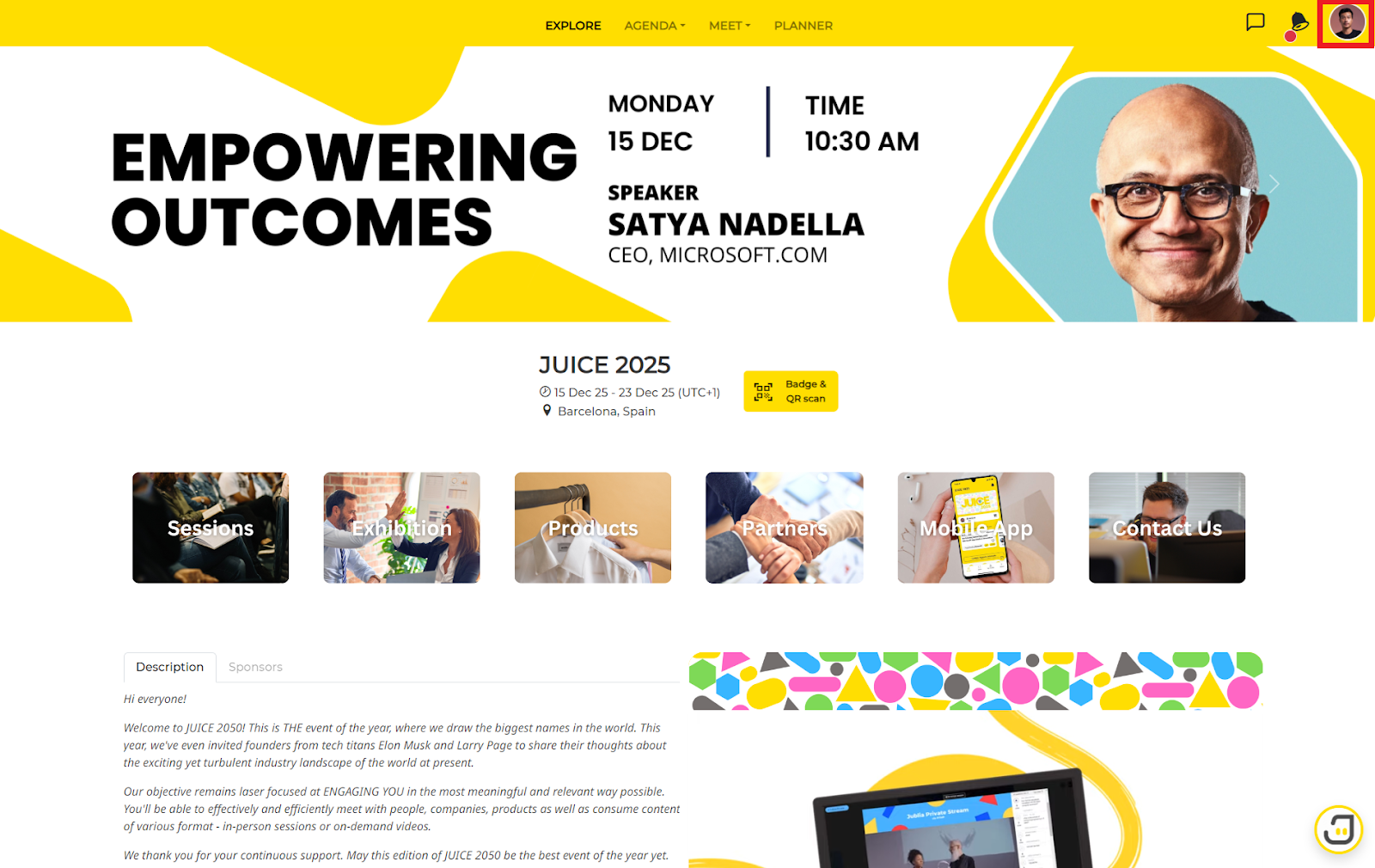
To change your profile details, click on the icon at top right corner of the engagement hub and select My Profile from the menu.
Step 2: Complete All Profile Details
If you notice a red dot beside the menu or your profile, it indicates that your profile is incomplete. Ensure all necessary information is provided. Once complete, the red dot will disappear.
Step 3: Update Your Profile Information
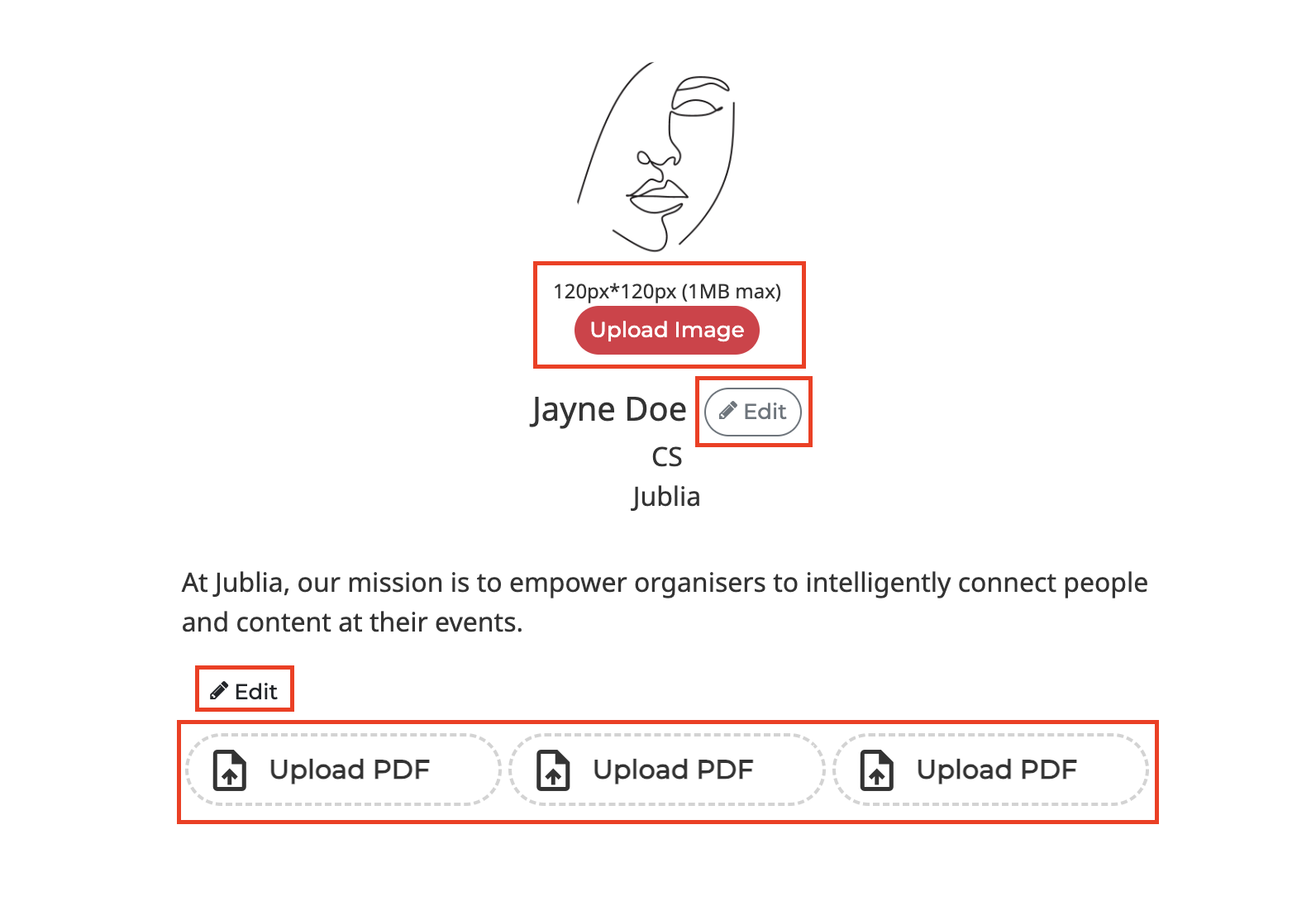
Update your profile details, such as uploading an image, entering your name, job title, Company/Organisation and adding descriptions.
Write a Description
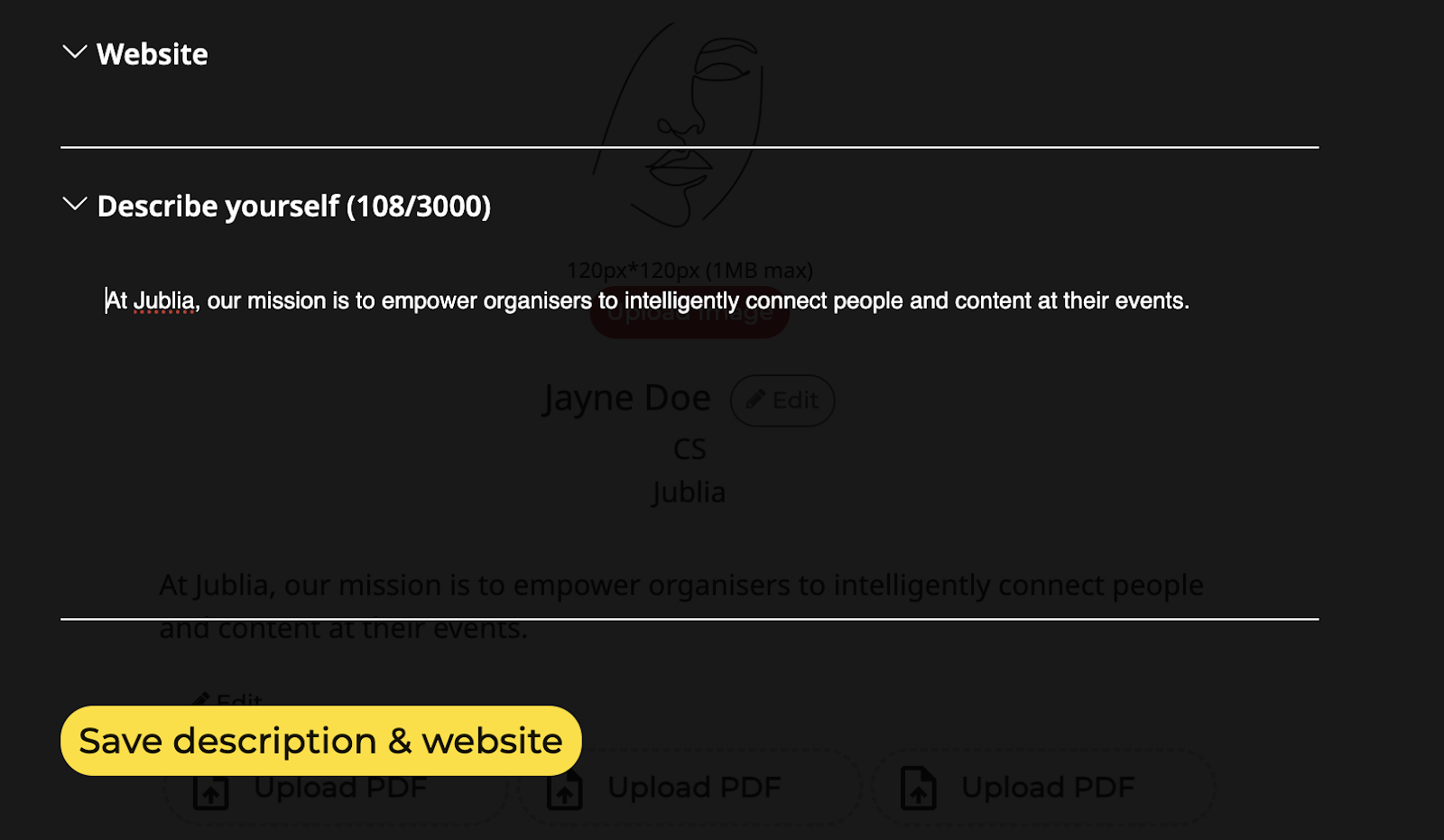
This field is limited to 3000 characters. Use clear and concise language to describe yourself, your company, and the services or products you offer.
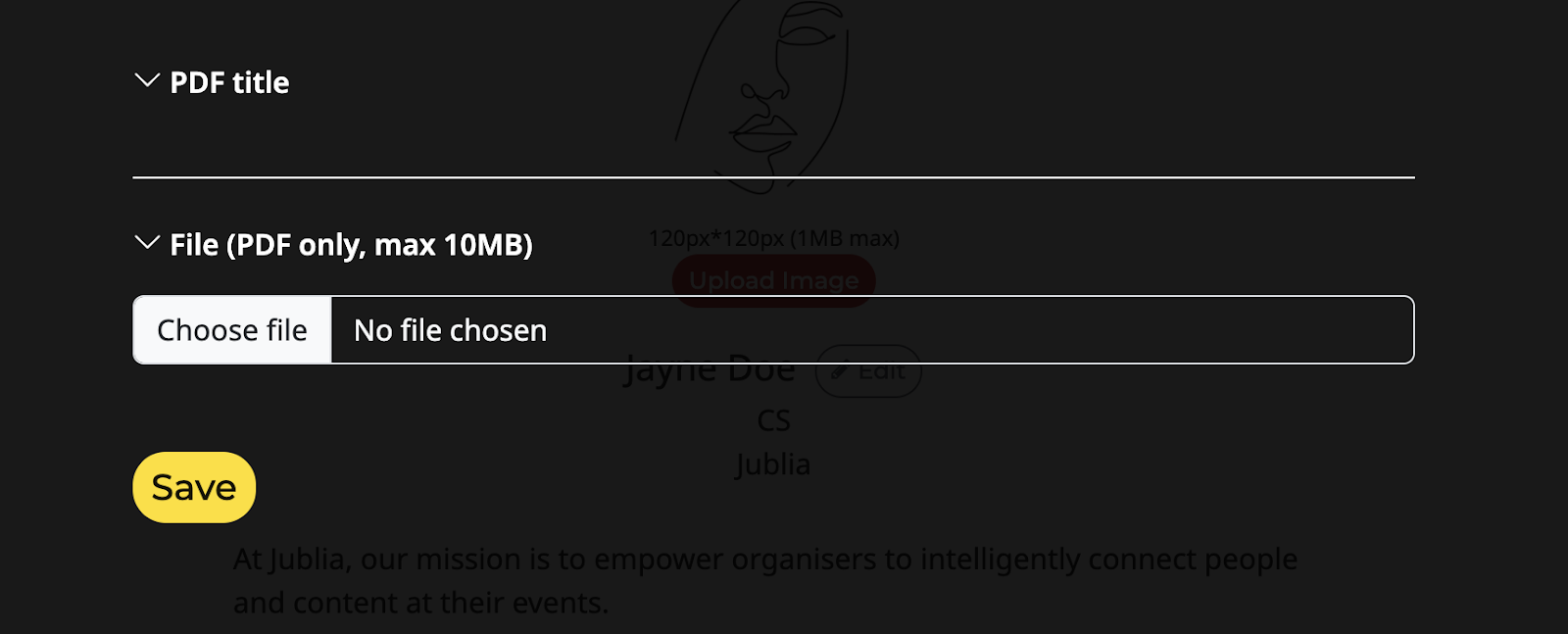
Upload a PDF (if available)
Some accounts may have the option to upload a PDF. If this feature is available, consider uploading a document that provides additional information about your business or services.
Native App
Step 1: Access Your Profile
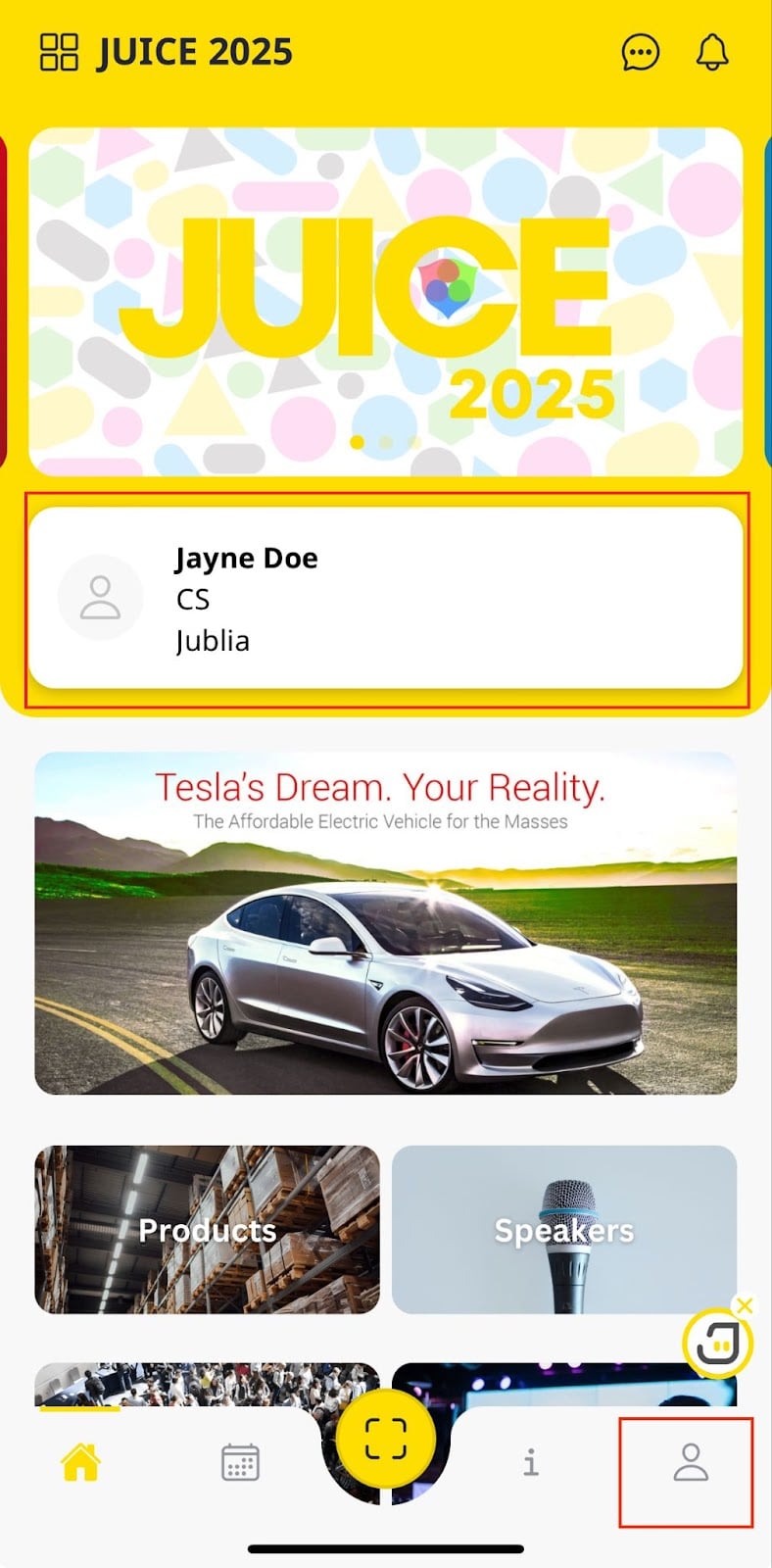
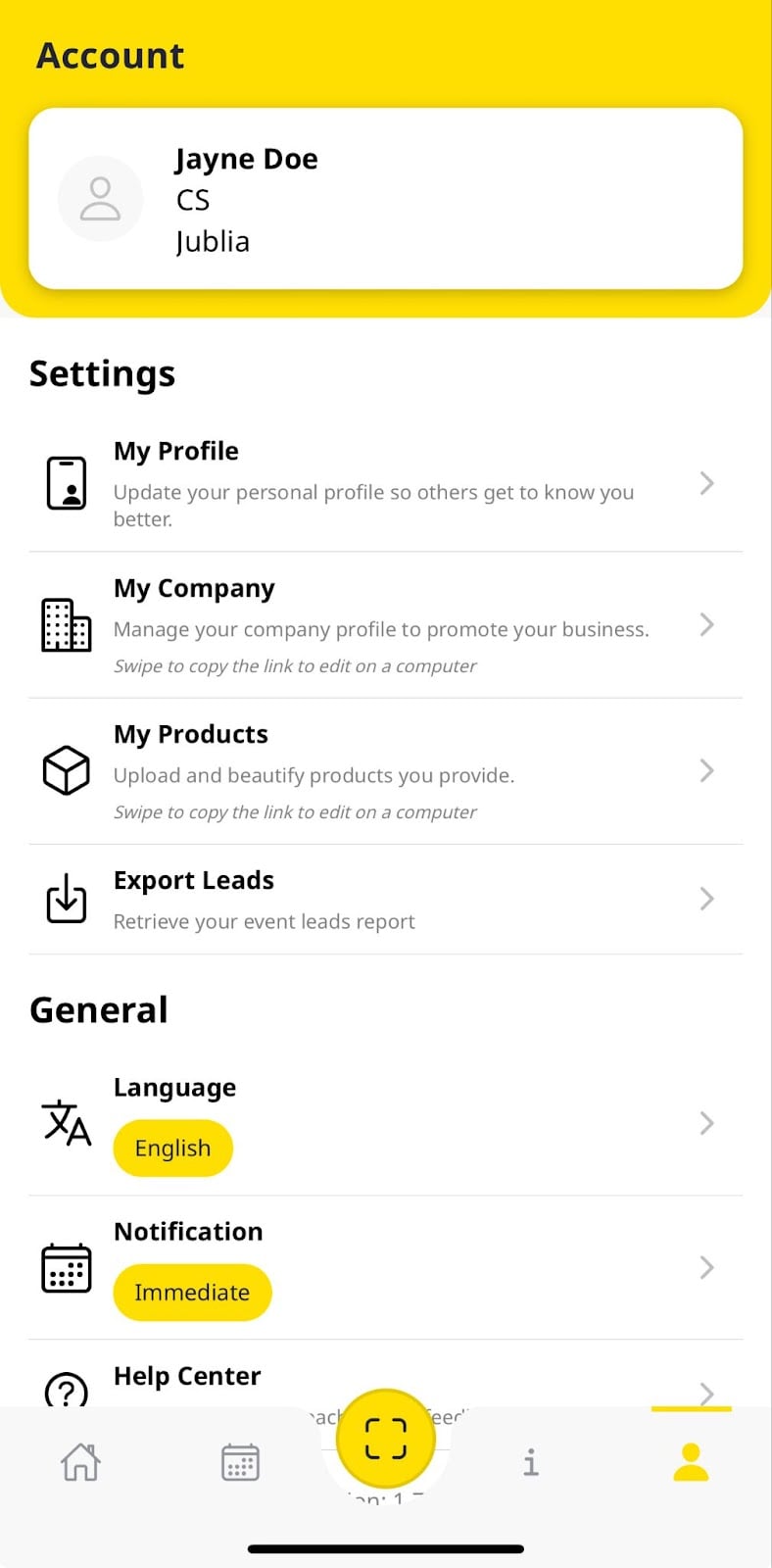
Tap on your profile icon, either from the menu wall or at the bottom of the screen, and then select My Profile from the settings menu.
Step 2: Update Your Profile Information
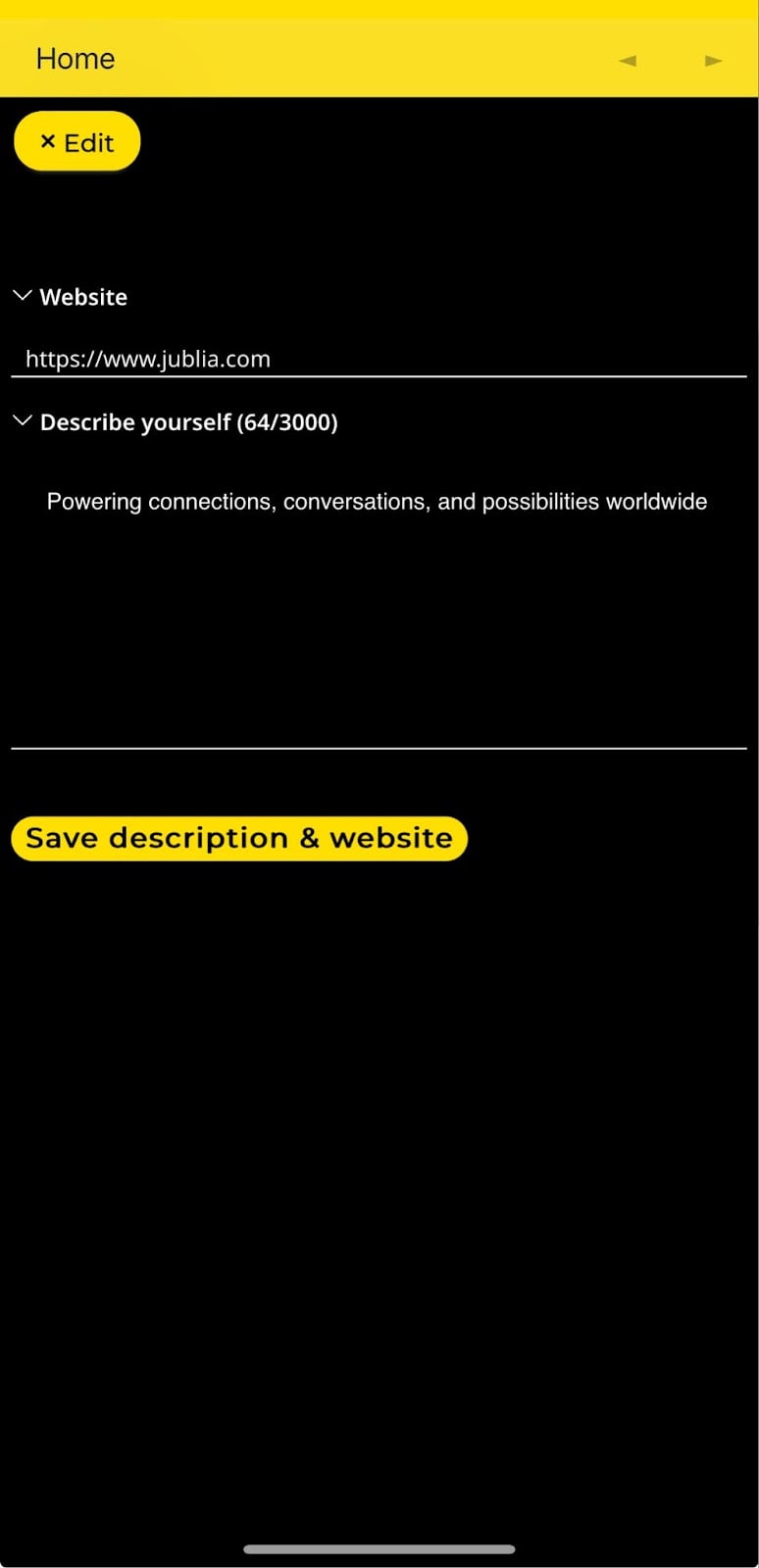
Modify your profile details as needed. This includes uploading an image, updating your name, job title, and writing a description about yourself.
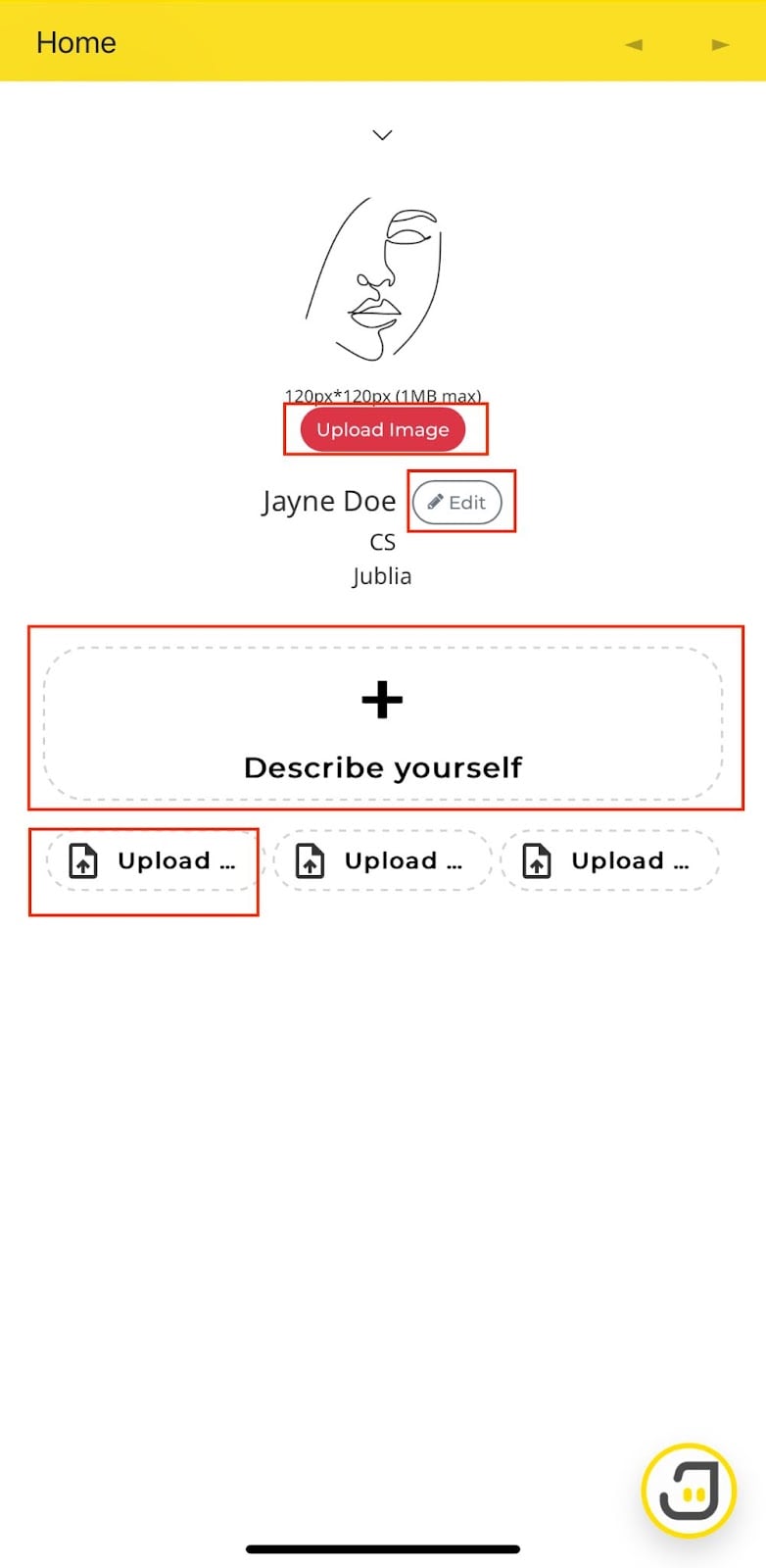
Step 3: Upload a PDF (if available)
If your account has the option to upload a PDF, you can add a document that provides additional information about your business or services. This can help enhance your profile by offering more in-depth details.