Customizing Your Notifications
Staying informed about your meeting opportunities is key to making the most out of your event experience. Our system offers multiple ways to customize notifications based on your preferences. This guide will walk you through accessing and customizing your notification settings to ensure you never miss an important update.
Read this guide in
| 中文 | ภาษาไทย | 한국어 | tiếng Việt | 繁體中文 | Bahasa Indonesia | 日本語 | Español | Portuguese |
Web App
Before you explore networking opportunities, make sure to personalize your notifications for an optimized experience by following these steps:
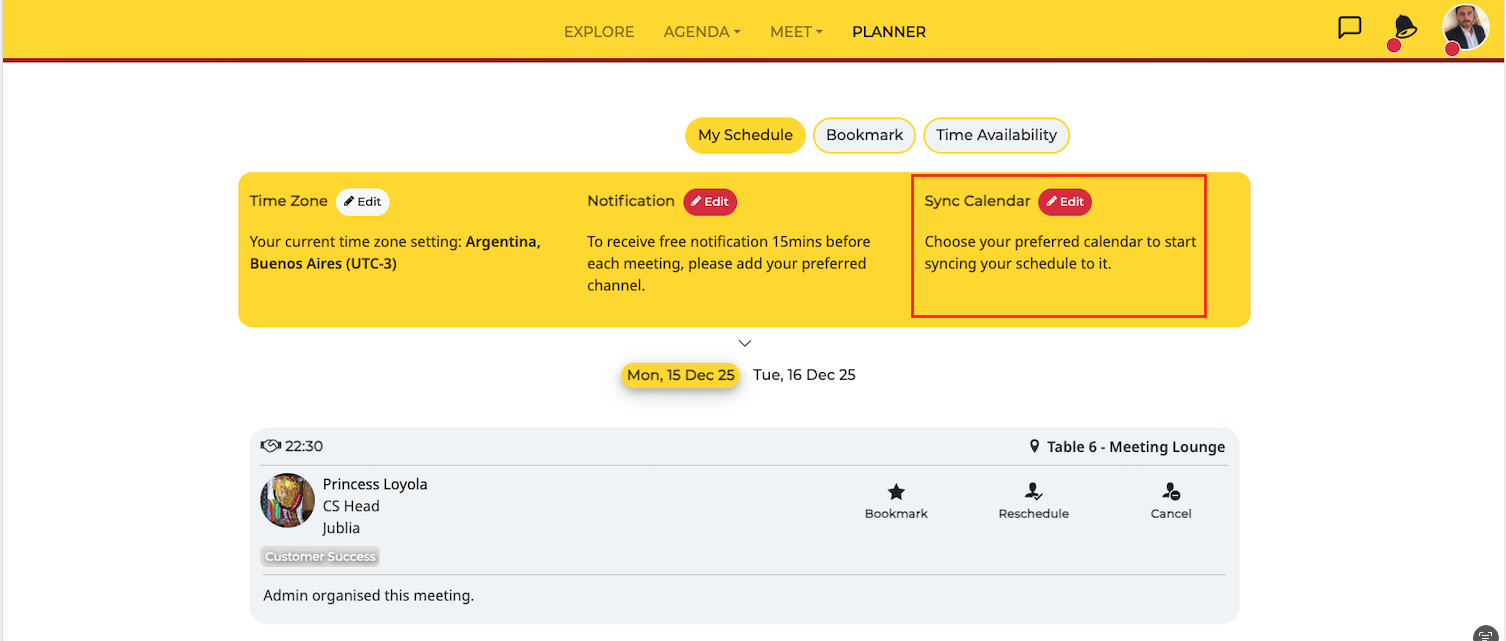
Step 1: Access the Planner Page
View and manage your notification settings, time zone, and calendar sync options.
Step 2: Set Your Time Zone
Click Edit
Select Your Preferred Time Zone
All meetings and agenda sessions will be based on your selected time zone.
Step 3: Set Your Notifications (only available for onsite/virtual meetings)
Click the Edit button on Notifications and choose your preferred method to receive timely reminders of upcoming meetings.
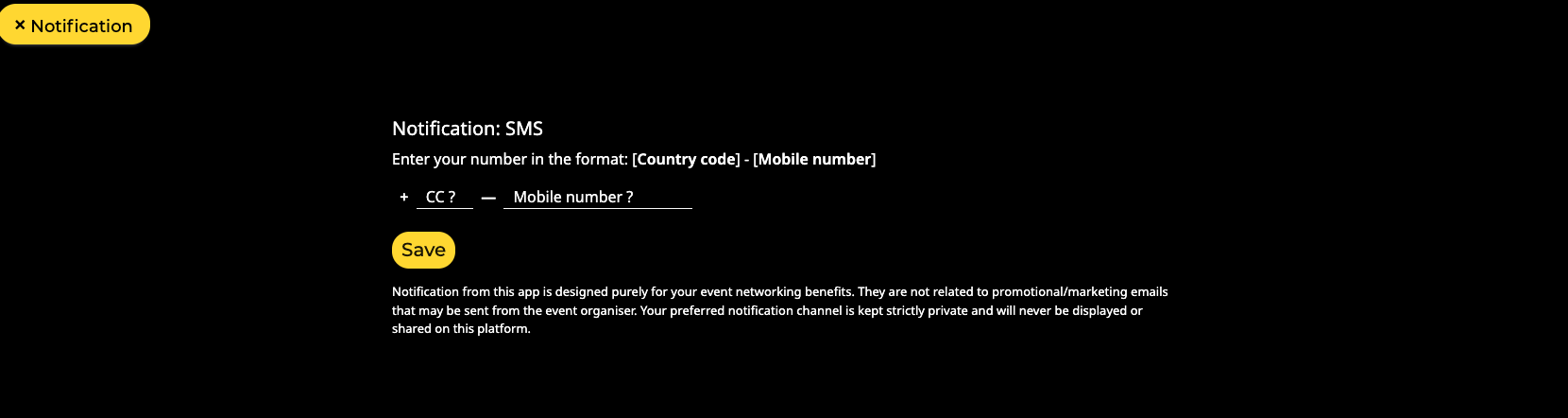
As an example, click on SMS
Enter your country code and mobile number.
Click Save
Note: By default, the Virtual Contact Card will display only your registered email address. To include your mobile number, follow the steps above.
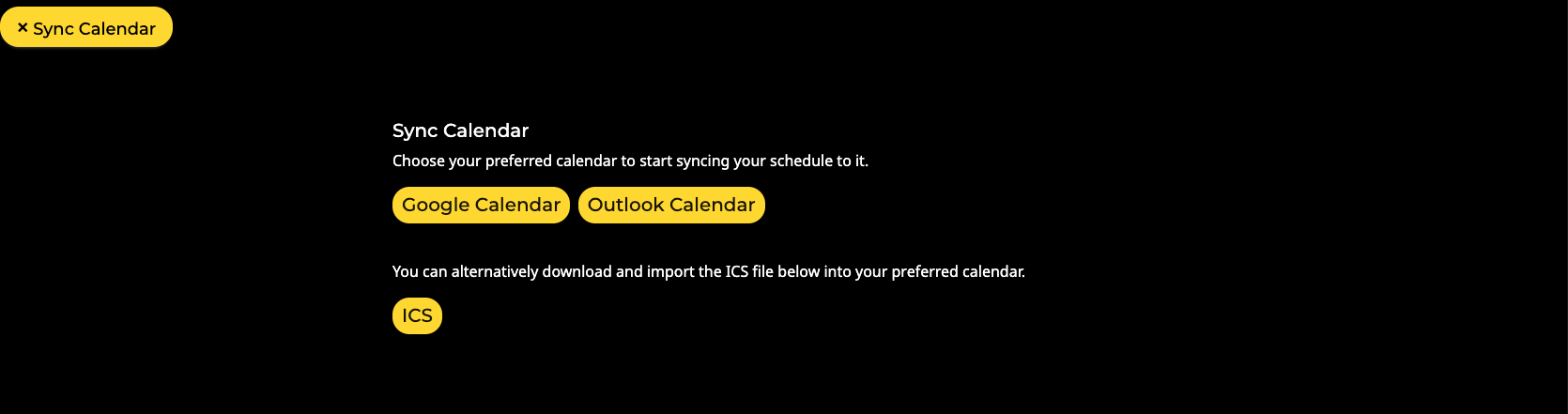
Step 4: Sync Calendar (only available for onsite/virtual meetings)
Click the Edit button on Sync Calendar
Select Your Preferred Calendar
Choose between Google, Outlook, or directly download to your mobile device.
Click Save
Note: Once synced, any changes to your schedule will be automatically updated.
Accessing Notification Settings
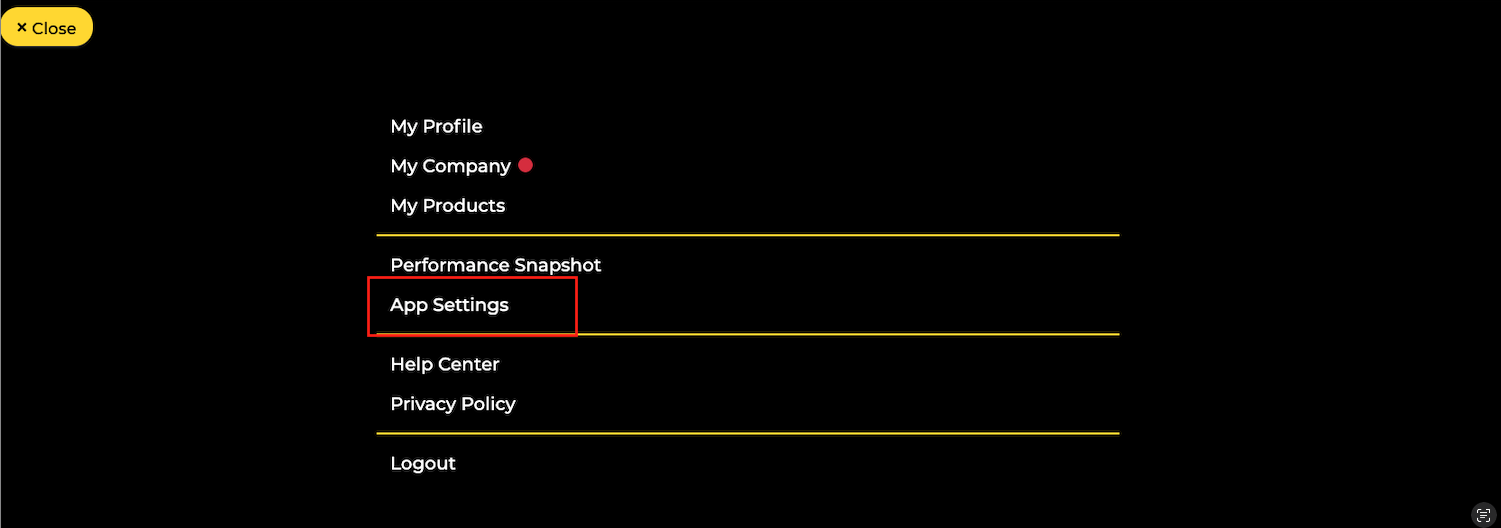
To begin customizing your notifications, click on your profile button located in the top right-hand corner of the screen. From the dropdown menu, select App settings to access your notification settings.
Email Notifications
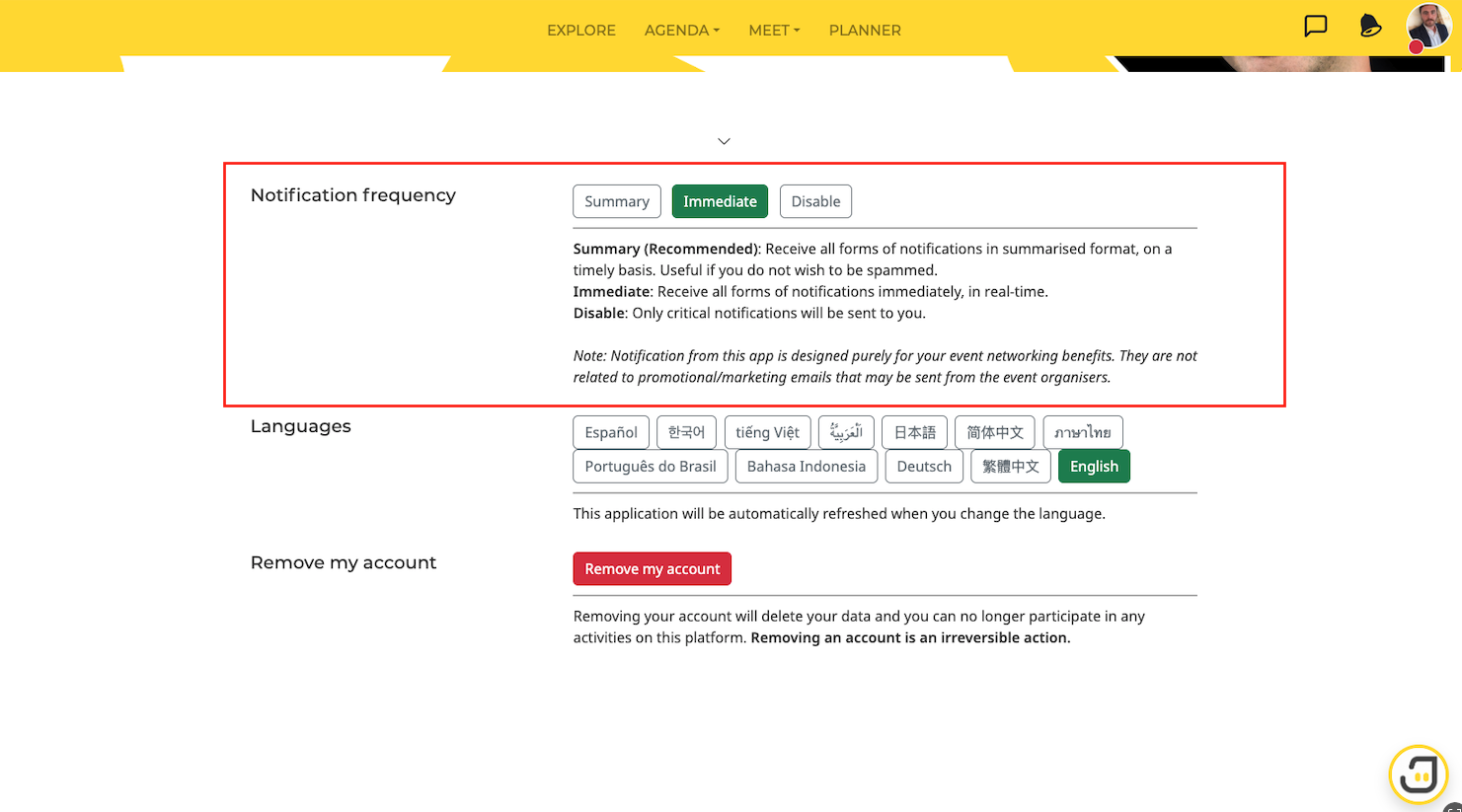
Choose your preferred frequency for receiving email notifications:
Summary: Receive daily or weekly email summaries of your meeting opportunities.
Immediate: Receive an email for each new meeting opportunity as soon as it becomes available.
Disable: Opt out of email notifications altogether.
Mobile Notifications
To customize your mobile notifications:
Click on Planner
Click on Edit notification
Choose your preferred notification settings for your mobile device.
Facebook Messenger
To receive notifications via Facebook Messenger:
Connect your Facebook account to our engagement hub.
Once connected, you'll receive notifications about your meeting opportunities directly on Facebook Messenger.
To receive notifications via WeChat:
Scan the provided QR code to connect your account.
Once connected, you'll receive notifications about your meeting opportunities directly on WeChat.
To receive notifications via WhatsApp:
Enter your mobile phone number in the required format: (country code)-(mobile phone number).
Once connected, you'll receive notifications about your meeting opportunities directly on WhatsApp.
SMS
To receive notifications via SMS:
Enter your mobile phone number in the required format: (country code)-(mobile phone number).
Once connected, you'll receive notifications about your meeting opportunities via SMS.
Native App
Accessing Notification Settings
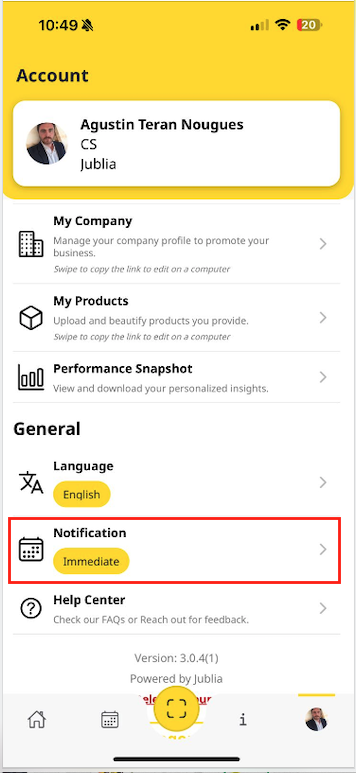
Step 1: Access the Account Menu
You can open the Account menu either from the profile banner on the Home menu or through the account option on the bottom navigation bar.
Step 2: Update your Notification Preferences
In the General section, locate the "Notifications" menu, then click to update your notification preferences as needed.
How to view my notifications?
Step 1: Notifications List
Access all received notifications in the Notifications section on the Home page menu.
Step 2: Notification Details
Click on a specific notification to view more detailed information.