Read this guide in
| 中文 | ภาษาไทย | 한국어 | tiếng Việt | 繁體中文 | Bahasa Indonesia | 日本語 | Español | Portuguese |
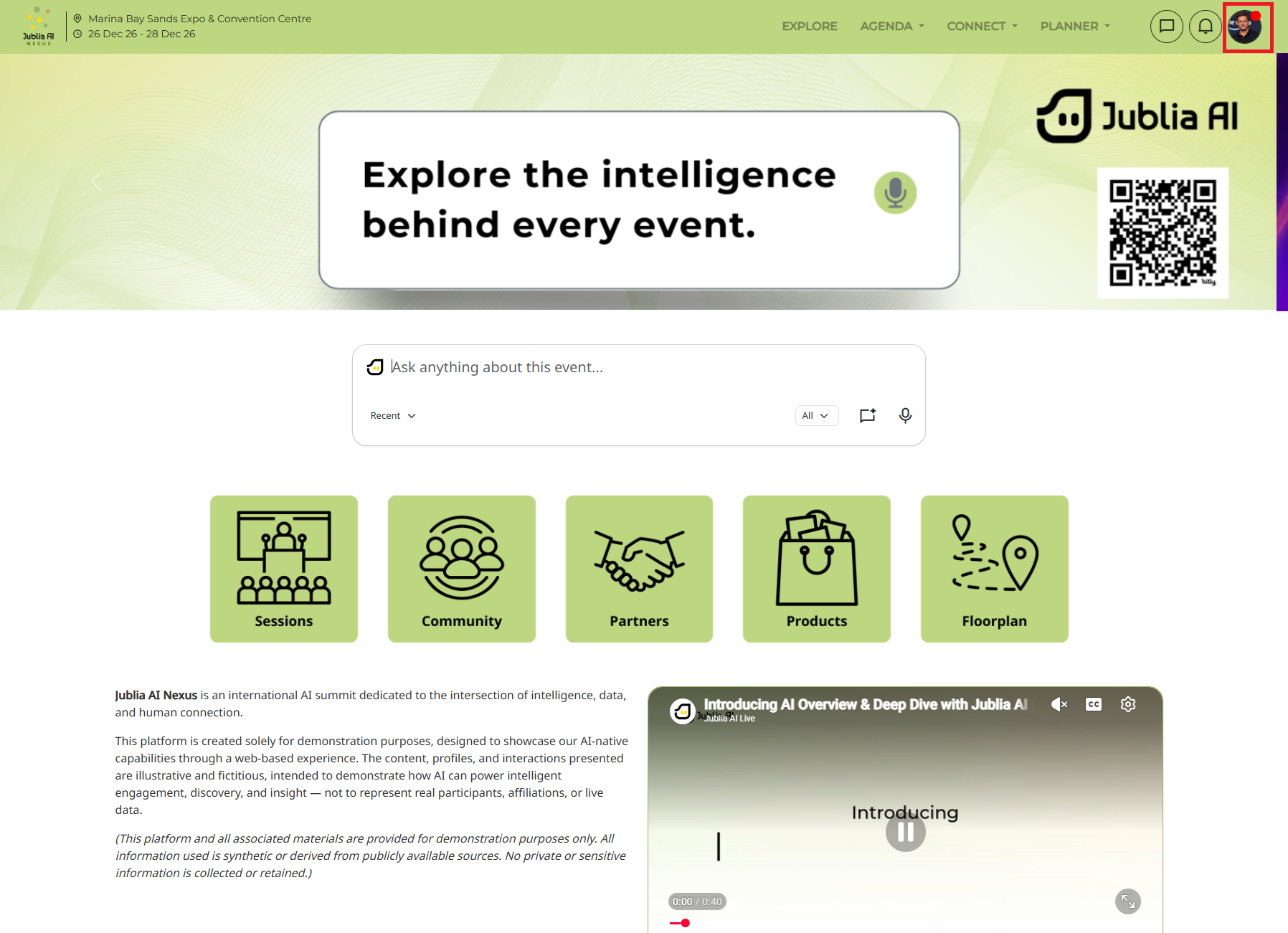
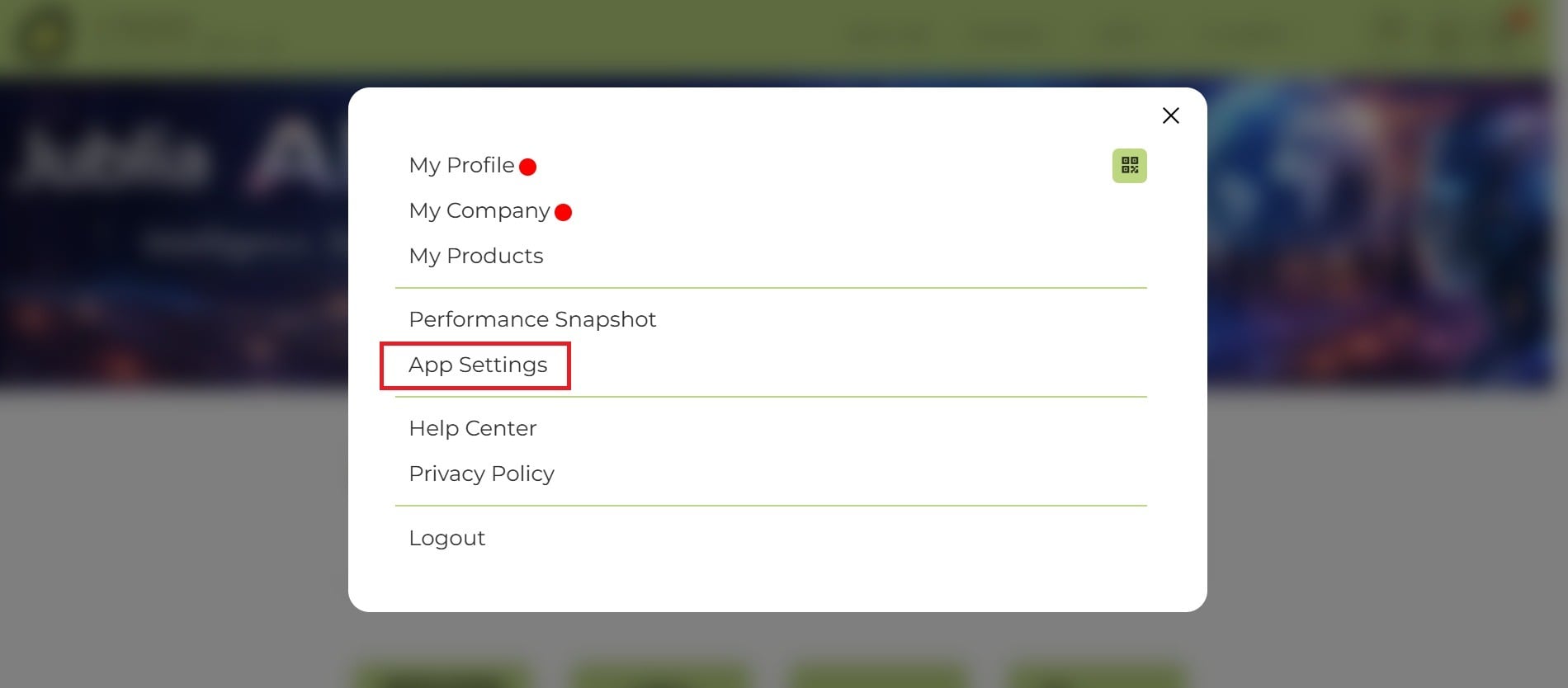
Click on your profile button located at the top right-hand corner of the screen, then select App Settings from the menu.
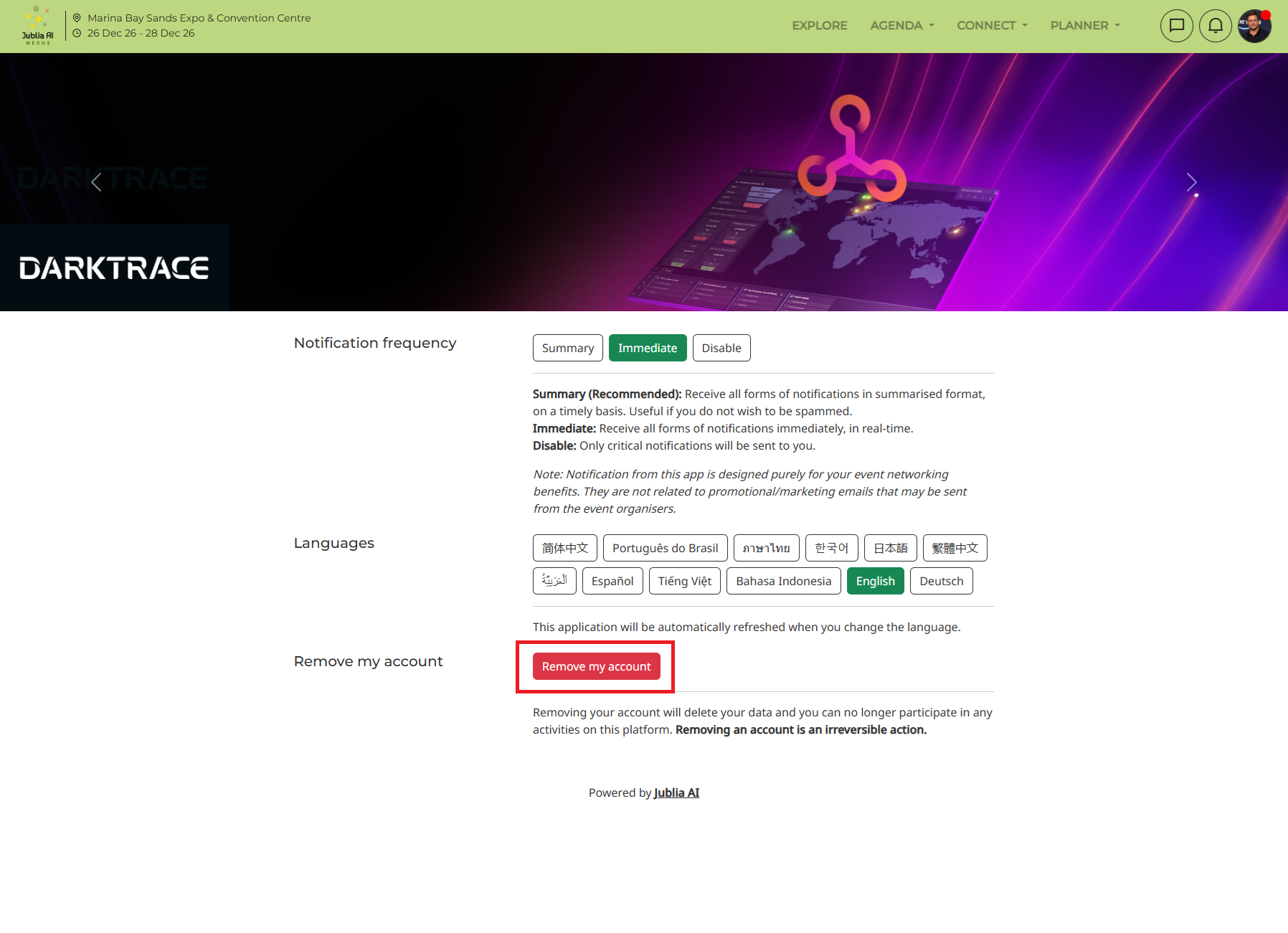
In the App Settings menu, click on the Remove my account option.
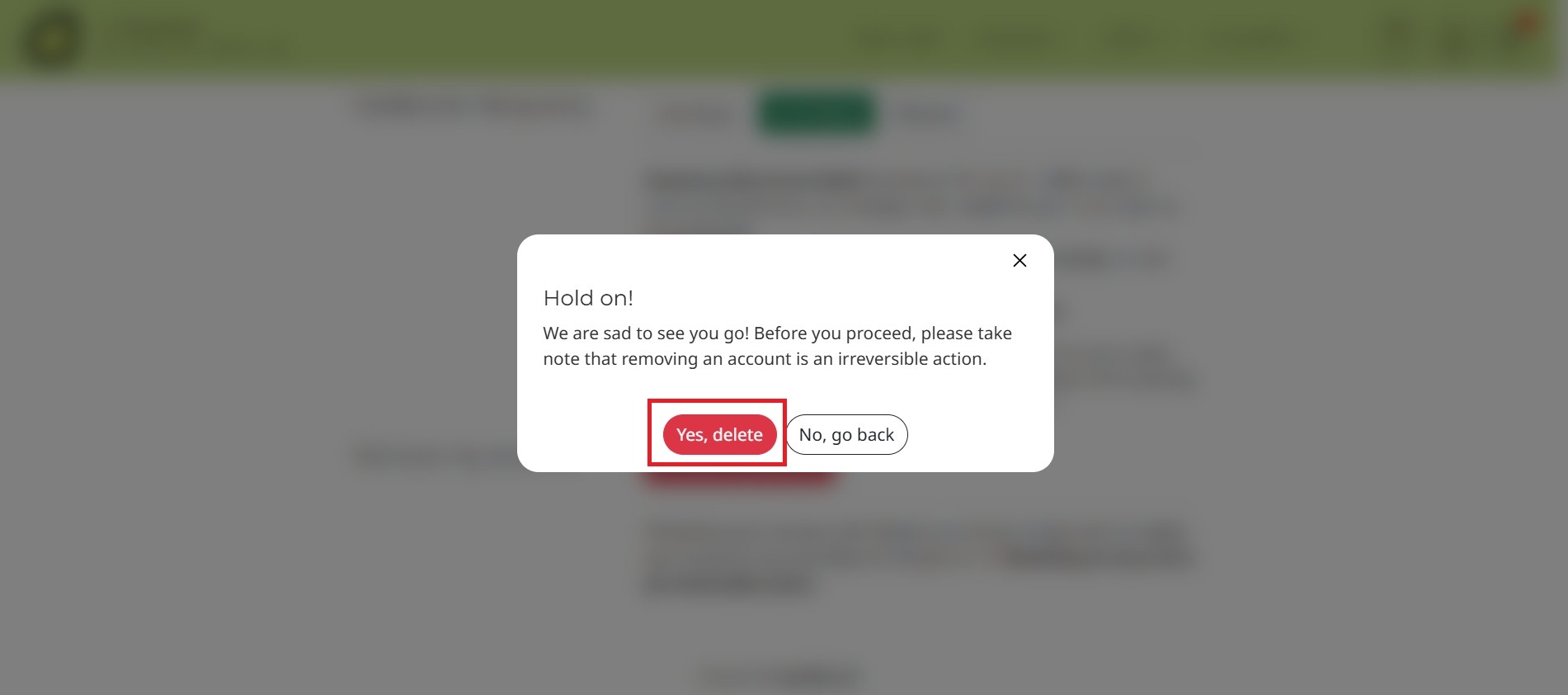
A prompt will appear asking if you are sure you want to delete your account. Click "Yes, delete" to confirm and proceed.
After confirming, your account will be permanently removed from our engagement hub. It's important to note that deleting your account will result in the permanent loss of all your account data, including meeting history and any other information associated with your account. Before taking this action, please ensure that you have exported or backed up any important data that you wish to keep.
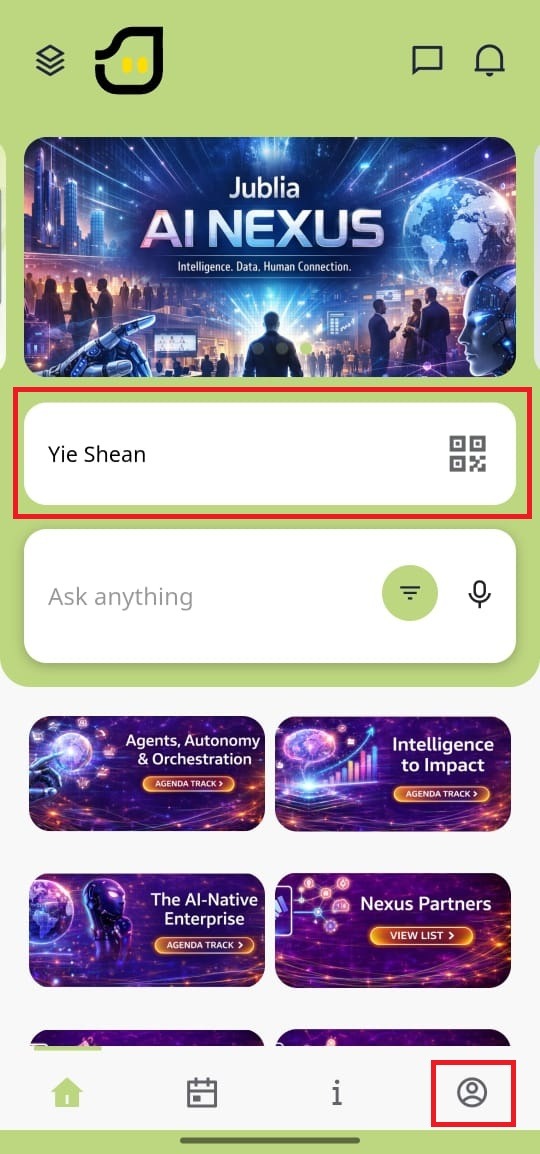
Tap on your profile icon, either from the menu wall or at the bottom of the screen.
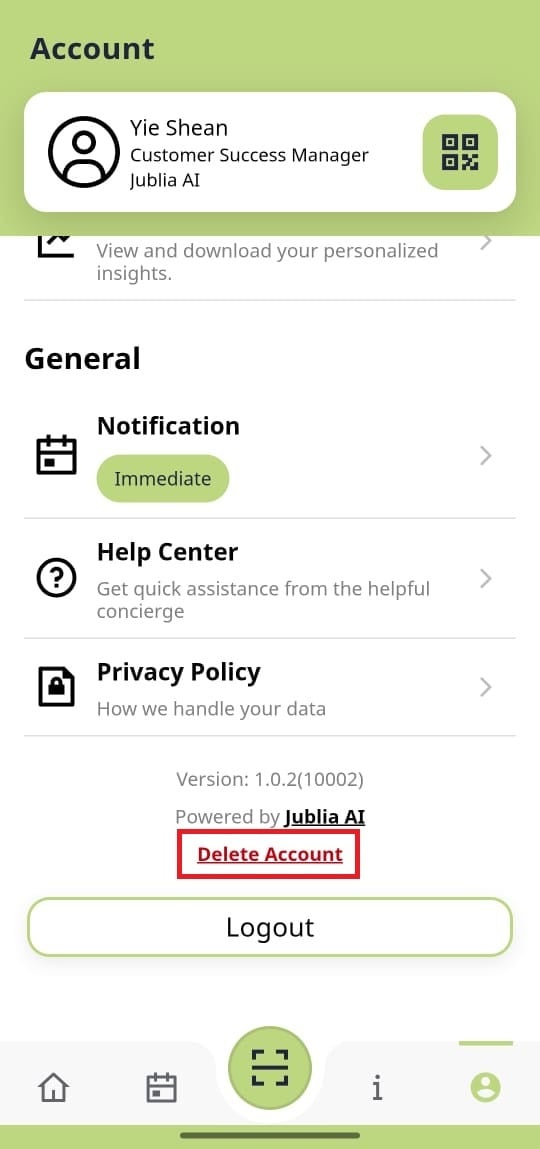
Scroll down and tap on the "Delete Account" option.
A prompt will appear asking if you are sure you want to delete your account. Please wait for 5 seconds to confirm the deletion, or cancel the action if needed.
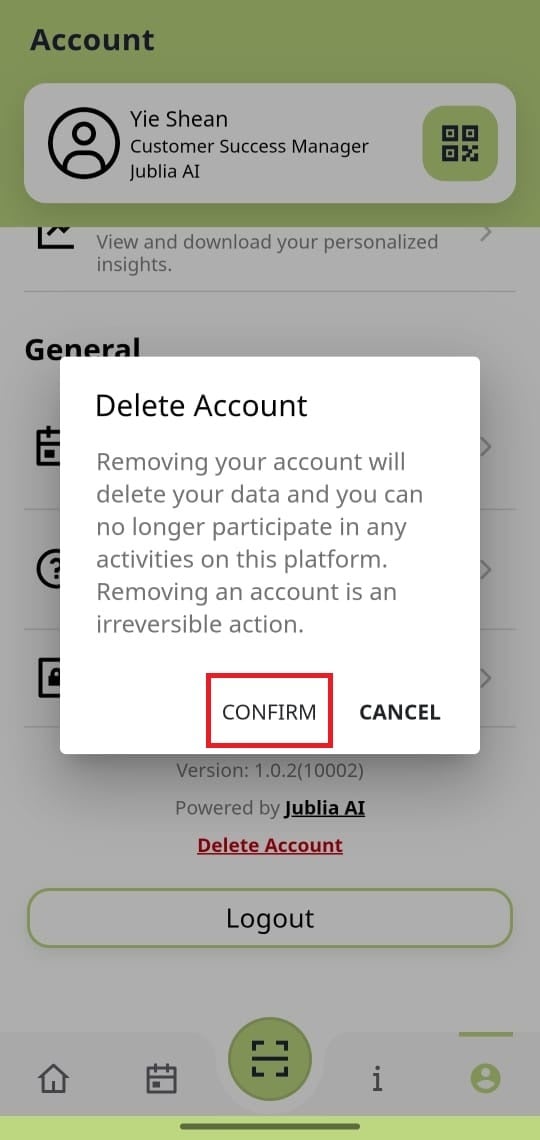
Once confirmed, your account will be permanently removed from our engagement hub.
It's important to note that deleting your account will result in the permanent loss of all your account data, including meeting history and any other information associated with your account. Before taking this action, please ensure that you have exported or backed up any important data that you wish to keep.